> ## Documentation Index
> Fetch the complete documentation index at: https://aitextura.mintlify.site/llms.txt
> Use this file to discover all available pages before exploring further.
# Schedule
> The agent's scheduled jobs: a morning summary, a Friday report, an hourly price check. The agent runs them on its own, even when the Agent Workspace is closed.
The most valuable thing about an agent is that it works without reminders. Explain once — "every Friday, send me a summary of expenses and leads" — and from then on it does this on its own, even when the Agent Workspace is closed and you're asleep.
## Create a job
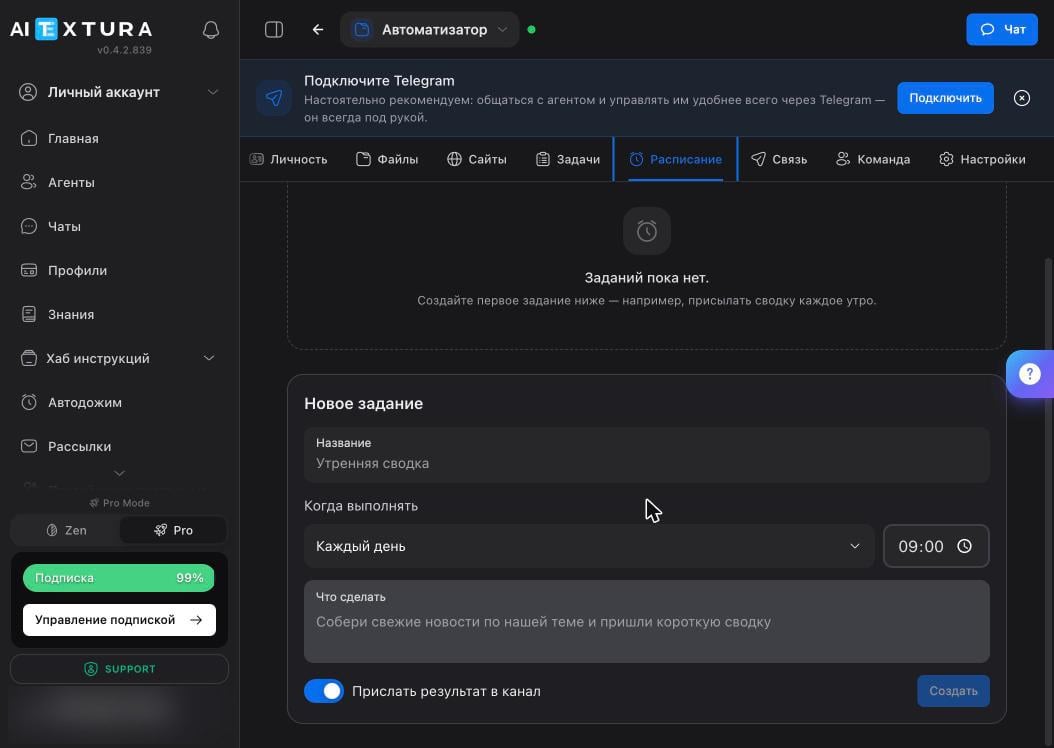
Open the **Schedule** tab. For a new agent, the list is empty and the creation form is right below it.
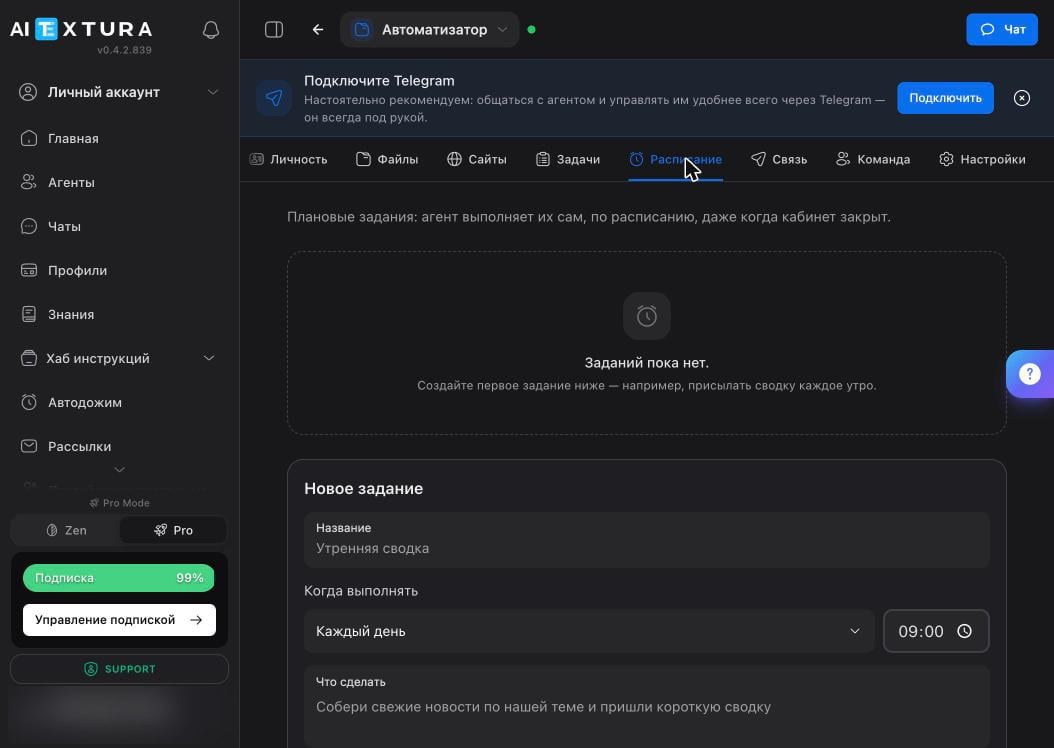 | Field | What to enter |
| -------------------------- | ------------------------------------------------------------------------------- |
| **Name** | A short job name: "Morning summary" |
| **When to run** | A frequency from the list, plus a time |
| **What to do** | The task in words — this is the exact text the agent receives when the job runs |
| **Send result to channel** | On by default: the result arrives in your connected messenger |
The **What to do** field matters most. Write it the way you'd write a task in chat: "Gather the latest news on our topic and send a short summary — five points, one line each."
## Frequency
| Field | What to enter |
| -------------------------- | ------------------------------------------------------------------------------- |
| **Name** | A short job name: "Morning summary" |
| **When to run** | A frequency from the list, plus a time |
| **What to do** | The task in words — this is the exact text the agent receives when the job runs |
| **Send result to channel** | On by default: the result arrives in your connected messenger |
The **What to do** field matters most. Write it the way you'd write a task in chat: "Gather the latest news on our topic and send a short summary — five points, one line each."
## Frequency
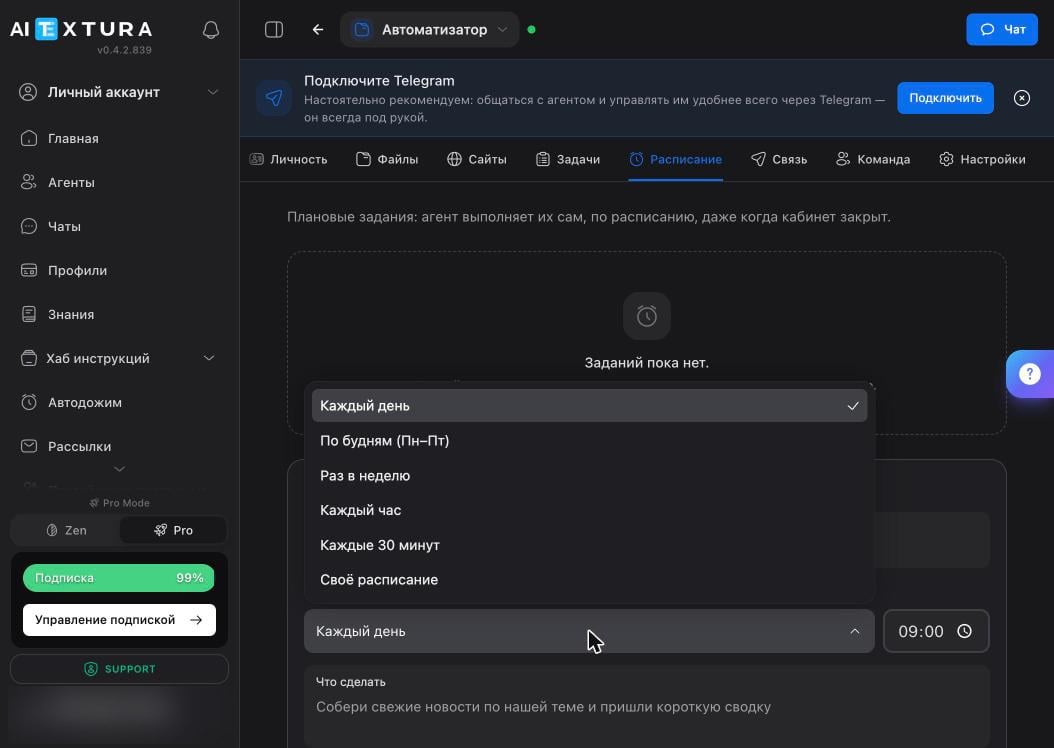 | Option | When it's useful |
| ---------------------- | ------------------------------------------------ |
| **Every day** | Morning brief, evening review |
| **Weekdays (Mon–Fri)** | Work summaries that shouldn't arrive on weekends |
| **Once a week** | Weekly report, plan for next week |
| **Every hour** | Monitoring: prices, mentions, new leads |
| **Every 30 minutes** | Same, when response speed matters |
| **Custom schedule** | Everything else |
Times follow the time zone the agent has on record for you. Tell the agent your time zone in conversation and also add it to the **About You** document on the [Personality](/en/agents/personality) tab — otherwise your 09:00 summary may arrive on a different morning than you meant.
## Your first three jobs
A common starting point.
| Name | When | What to do |
| -------------- | ------------------------- | ---------------------------------------------------------------------------------------------------------- |
| Morning brief | Every day, 08:00 | Weather, calendar meetings, important unread emails, and anything urgent on the task list — in one message |
| Weekly wrap-up | Once a week, Friday 18:00 | Expenses by category, new leads, what's still open — plus a plan for next week |
| Monitoring | Every hour | Check competitors' pages and message me only if something changed |
Add the condition "message me only if there's something to report." Otherwise hourly monitoring turns into twenty-four "no changes" messages a day, and you stop reading them.
| Option | When it's useful |
| ---------------------- | ------------------------------------------------ |
| **Every day** | Morning brief, evening review |
| **Weekdays (Mon–Fri)** | Work summaries that shouldn't arrive on weekends |
| **Once a week** | Weekly report, plan for next week |
| **Every hour** | Monitoring: prices, mentions, new leads |
| **Every 30 minutes** | Same, when response speed matters |
| **Custom schedule** | Everything else |
Times follow the time zone the agent has on record for you. Tell the agent your time zone in conversation and also add it to the **About You** document on the [Personality](/en/agents/personality) tab — otherwise your 09:00 summary may arrive on a different morning than you meant.
## Your first three jobs
A common starting point.
| Name | When | What to do |
| -------------- | ------------------------- | ---------------------------------------------------------------------------------------------------------- |
| Morning brief | Every day, 08:00 | Weather, calendar meetings, important unread emails, and anything urgent on the task list — in one message |
| Weekly wrap-up | Once a week, Friday 18:00 | Expenses by category, new leads, what's still open — plus a plan for next week |
| Monitoring | Every hour | Check competitors' pages and message me only if something changed |
Add the condition "message me only if there's something to report." Otherwise hourly monitoring turns into twenty-four "no changes" messages a day, and you stop reading them.
 ## Verify
Scheduled jobs are where the agent can go quiet without you noticing: a job stops running, and since you don't expect messages every day anyway, you miss it.
* After creating a job, set it to run soon and watch the first run happen live.
* Once a week, check that everything that should arrive is arriving.
* If it's silent, open the [Log](/en/agents/maintenance) — it shows whether the job ran and where it failed.
## FAQ
This usually means the container is restarting — for example, you just enabled the task board or toggled a skill. Wait 20–30 seconds and click **Retry**.
It won't: the agent stays silent about failed background jobs. Check the [Log](/en/agents/maintenance) and, if the container restarted, run **Diagnostics**. For critical jobs, make a habit of checking results against the calendar.
Check the **Send result to channel** toggle in the job, and make sure the channel itself is connected on the [Connect](/en/agents/connect) tab.
The agent calculates time using your time zone. If it doesn't know it or has it wrong, fix the **About You** document on the [Personality](/en/agents/personality) tab.
The interface doesn't limit the number of jobs, but every run spends your model budget. Monitoring every 30 minutes costs noticeably more than a daily summary — keep that in mind when you set things up.
## What's next
One-off tasks on the board
Where job results are delivered
Log, diagnostics, and restart
What the agent thinks with and what it costs
## Verify
Scheduled jobs are where the agent can go quiet without you noticing: a job stops running, and since you don't expect messages every day anyway, you miss it.
* After creating a job, set it to run soon and watch the first run happen live.
* Once a week, check that everything that should arrive is arriving.
* If it's silent, open the [Log](/en/agents/maintenance) — it shows whether the job ran and where it failed.
## FAQ
This usually means the container is restarting — for example, you just enabled the task board or toggled a skill. Wait 20–30 seconds and click **Retry**.
It won't: the agent stays silent about failed background jobs. Check the [Log](/en/agents/maintenance) and, if the container restarted, run **Diagnostics**. For critical jobs, make a habit of checking results against the calendar.
Check the **Send result to channel** toggle in the job, and make sure the channel itself is connected on the [Connect](/en/agents/connect) tab.
The agent calculates time using your time zone. If it doesn't know it or has it wrong, fix the **About You** document on the [Personality](/en/agents/personality) tab.
The interface doesn't limit the number of jobs, but every run spends your model budget. Monitoring every 30 minutes costs noticeably more than a daily summary — keep that in mind when you set things up.
## What's next
One-off tasks on the board
Where job results are delivered
Log, diagnostics, and restart
What the agent thinks with and what it costs