> ## Documentation Index
> Fetch the complete documentation index at: https://aitextura.mintlify.site/llms.txt
> Use this file to discover all available pages before exploring further.
# Abilities and Skills
> What your agent is allowed to do: core abilities with toggles, installed skills, and the catalog. Plus why a third-party skill is a risk.
Your agent can read files, run programs in its container, and go online, and each of these can be turned off with a single toggle. **Abilities** set the limits of what it can do at all: if an ability is off, the agent won't use it, no matter how nicely you ask.
## Core abilities
**Settings → Abilities**. The top three abilities can be toggled; the rest are always on.
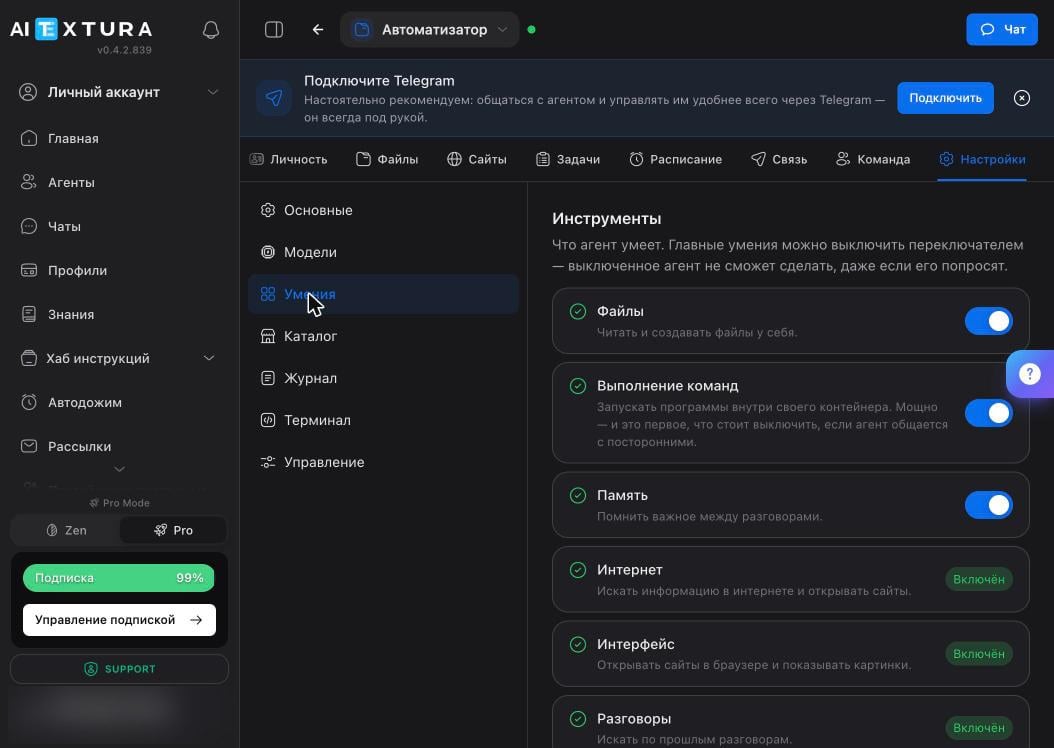 | Ability | What it gives | Turn it off when |
| --------------------- | ----------------------------------------------- | -------------------------------------------------------------------------- |
| **Files** | Read and create files in its own storage | Almost never: without files, the agent loses its memory of the work |
| **Command Execution** | Run programs inside its container | This is the first thing to turn off if anyone else is messaging the agent |
| **Memory** | Remember important things between conversations | Only if you need a one-off agent that doesn't build up knowledge about you |
| **Internet** | Search for information and open websites | Always on |
| **Interface** | Open websites in a browser and show images | Always on |
| **Conversations** | Search past conversations | Always on |
**Command Execution** is the most powerful and most dangerous ability: it's a full command line. If anyone besides you has access to the agent, turn it off and enable it only for specific tasks.
## Installed skills
Further down the same tab is the list of skills. A new agent comes with several dozen. A skill is an instruction file: the agent reads it and learns something new.
| Ability | What it gives | Turn it off when |
| --------------------- | ----------------------------------------------- | -------------------------------------------------------------------------- |
| **Files** | Read and create files in its own storage | Almost never: without files, the agent loses its memory of the work |
| **Command Execution** | Run programs inside its container | This is the first thing to turn off if anyone else is messaging the agent |
| **Memory** | Remember important things between conversations | Only if you need a one-off agent that doesn't build up knowledge about you |
| **Internet** | Search for information and open websites | Always on |
| **Interface** | Open websites in a browser and show images | Always on |
| **Conversations** | Search past conversations | Always on |
**Command Execution** is the most powerful and most dangerous ability: it's a full command line. If anyone besides you has access to the agent, turn it off and enable it only for specific tasks.
## Installed skills
Further down the same tab is the list of skills. A new agent comes with several dozen. A skill is an instruction file: the agent reads it and learns something new.
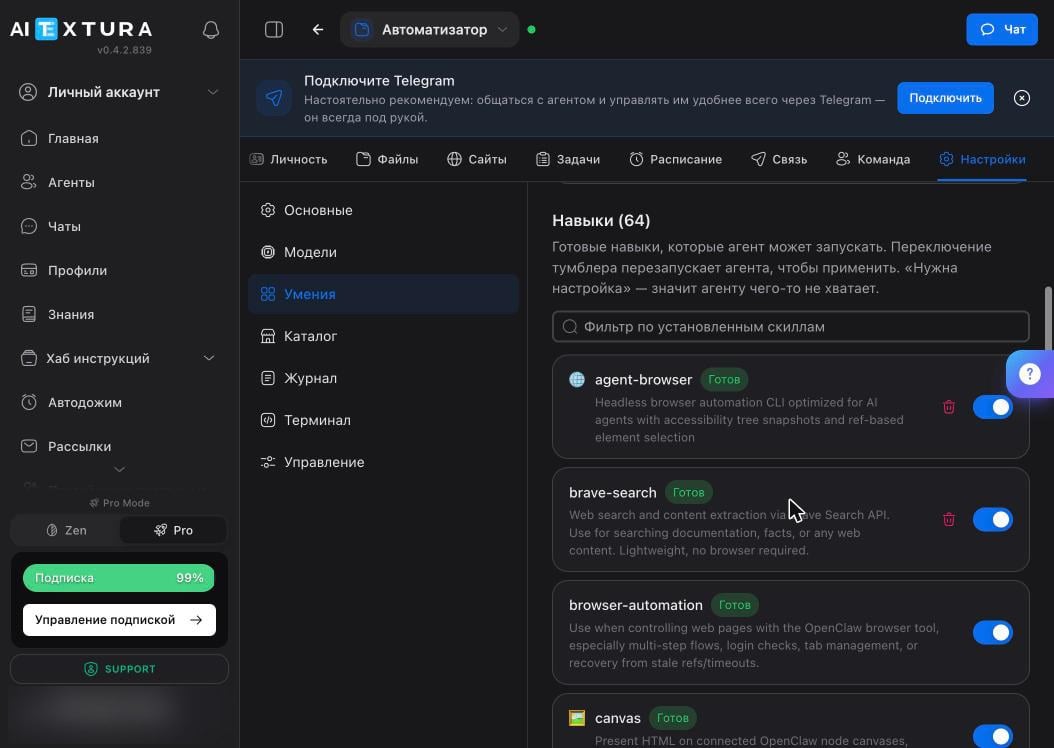 | What you see on the card | What it means |
| ------------------------ | ---------------------------------------------------------- |
| Skill name | The technical name, usually in English |
| **Ready** | The skill works and is ready to use |
| **Setup Required** | The agent is missing something, most often access or a key |
| Toggle | Turns the skill on and off |
| Trash can | Deletes the skill |
Toggling a skill restarts the agent: chats and scheduled tasks pause for about a minute.
The **Filter installed skills** field searches the list. With several dozen skills, it's faster than scrolling.
## Catalog
**Settings → Catalog** has new skills and plugins. There's a **Skills / Plugins** switch, a category filter, and **Top** and **Trending** collections.
| What you see on the card | What it means |
| ------------------------ | ---------------------------------------------------------- |
| Skill name | The technical name, usually in English |
| **Ready** | The skill works and is ready to use |
| **Setup Required** | The agent is missing something, most often access or a key |
| Toggle | Turns the skill on and off |
| Trash can | Deletes the skill |
Toggling a skill restarts the agent: chats and scheduled tasks pause for about a minute.
The **Filter installed skills** field searches the list. With several dozen skills, it's faster than scrolling.
## Catalog
**Settings → Catalog** has new skills and plugins. There's a **Skills / Plugins** switch, a category filter, and **Top** and **Trending** collections.
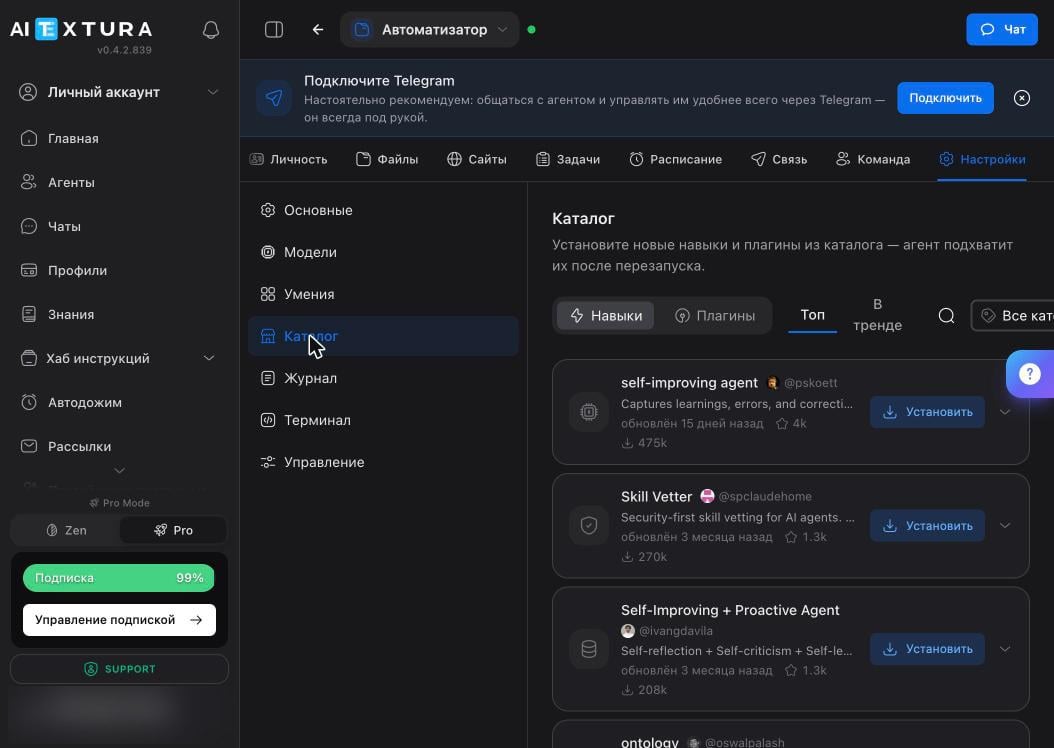 Each card shows the author, rating, install count, and last update date. The **Install** button installs the skill, and the agent picks it up after a restart.
A skill is text with instructions that the agent follows without a second thought. A downloaded file can hide a command to collect your keys and send them to a third party. Don't install skills from unknown authors: it's safer to ask an AI to write the skill you need from scratch for your task. Learn more in [Security and Access](/en/agents/security).
What to check before installing: a well-known author, lots of installs, a recent update. This lowers the risk but doesn't remove it, so read what's inside.
## FAQ
Tell it directly: "use skill such-and-such." The agent picks its tools on its own and doesn't always guess right. If it says it's missing data, check the status: **Setup Required** means some access is missing.
It's restarting, so wait half a minute. If it doesn't come back, turn off the new skill and run **Diagnostics** in [Maintenance](/en/agents/maintenance).
There's no full guarantee. Look at the author, install count, and update date. You can also open the file itself on the [Files](/en/agents/files) tab and read it: it's plain text. Anything that asks to send data outside is a reason to pass.
That happens: it may find a skill suspicious and tell you so. That's a good sign, but don't rely on this check. The decision is still yours.
They're similar in purpose: both extend what can be done. But [talents](/en/guides/talents) connect an AI Employee to your external systems and are configured at the AI Employee level, while skills live inside a specific agent's container.
## What's next
Five rules that prevent most of the pain
What the agent thinks with
Where skills physically live
What to do if a skill broke everything
Each card shows the author, rating, install count, and last update date. The **Install** button installs the skill, and the agent picks it up after a restart.
A skill is text with instructions that the agent follows without a second thought. A downloaded file can hide a command to collect your keys and send them to a third party. Don't install skills from unknown authors: it's safer to ask an AI to write the skill you need from scratch for your task. Learn more in [Security and Access](/en/agents/security).
What to check before installing: a well-known author, lots of installs, a recent update. This lowers the risk but doesn't remove it, so read what's inside.
## FAQ
Tell it directly: "use skill such-and-such." The agent picks its tools on its own and doesn't always guess right. If it says it's missing data, check the status: **Setup Required** means some access is missing.
It's restarting, so wait half a minute. If it doesn't come back, turn off the new skill and run **Diagnostics** in [Maintenance](/en/agents/maintenance).
There's no full guarantee. Look at the author, install count, and update date. You can also open the file itself on the [Files](/en/agents/files) tab and read it: it's plain text. Anything that asks to send data outside is a reason to pass.
That happens: it may find a skill suspicious and tell you so. That's a good sign, but don't rely on this check. The decision is still yours.
They're similar in purpose: both extend what can be done. But [talents](/en/guides/talents) connect an AI Employee to your external systems and are configured at the AI Employee level, while skills live inside a specific agent's container.
## What's next
Five rules that prevent most of the pain
What the agent thinks with
Where skills physically live
What to do if a skill broke everything