> ## Documentation Index
> Fetch the complete documentation index at: https://aitextura.mintlify.site/llms.txt
> Use this file to discover all available pages before exploring further.
# Agent Tasks
> The agent's kanban board: you add a task, the agent picks it up. How to enable the board, what the eight columns mean, and how to create cards.
You can assign tasks in chat, but then they exist only in the conversation: it's hard to tell what the agent picked up, what's stuck, and what's done. The **task board** is a shared to-do list where each task is a card and you can see which stage it's in.
## Enable the board
The board is off by default — the **Tasks** tab shows an **Enable board** button.
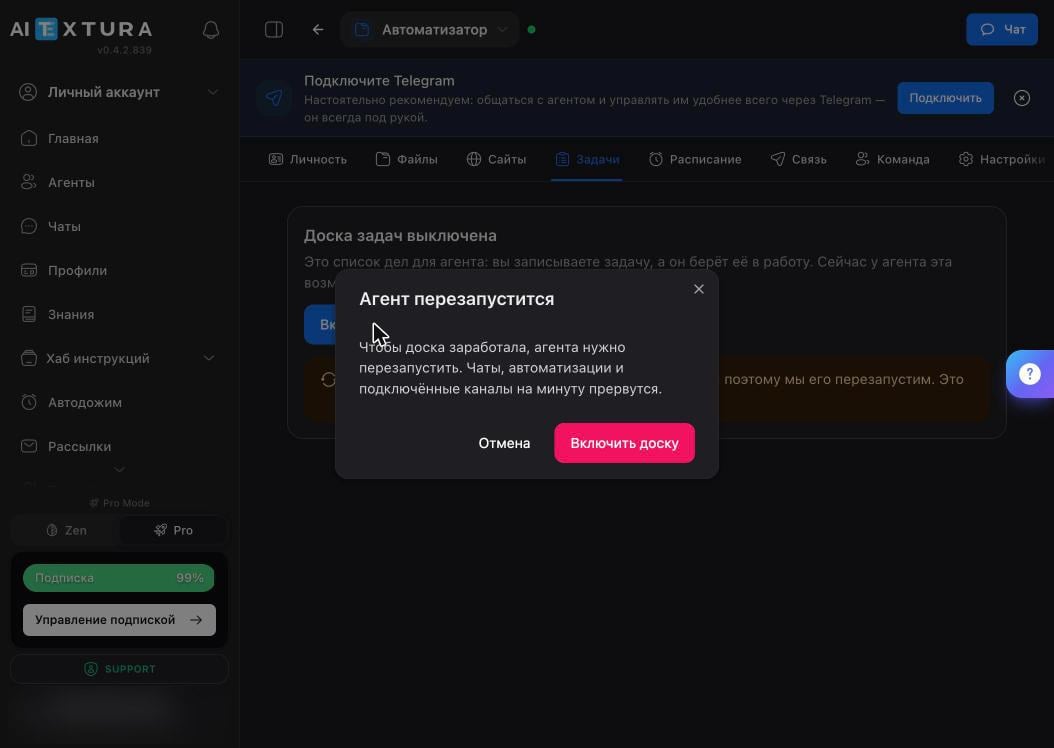 The platform warns you that the agent needs to restart: chats, automations, and connected channels will be interrupted for about a minute.
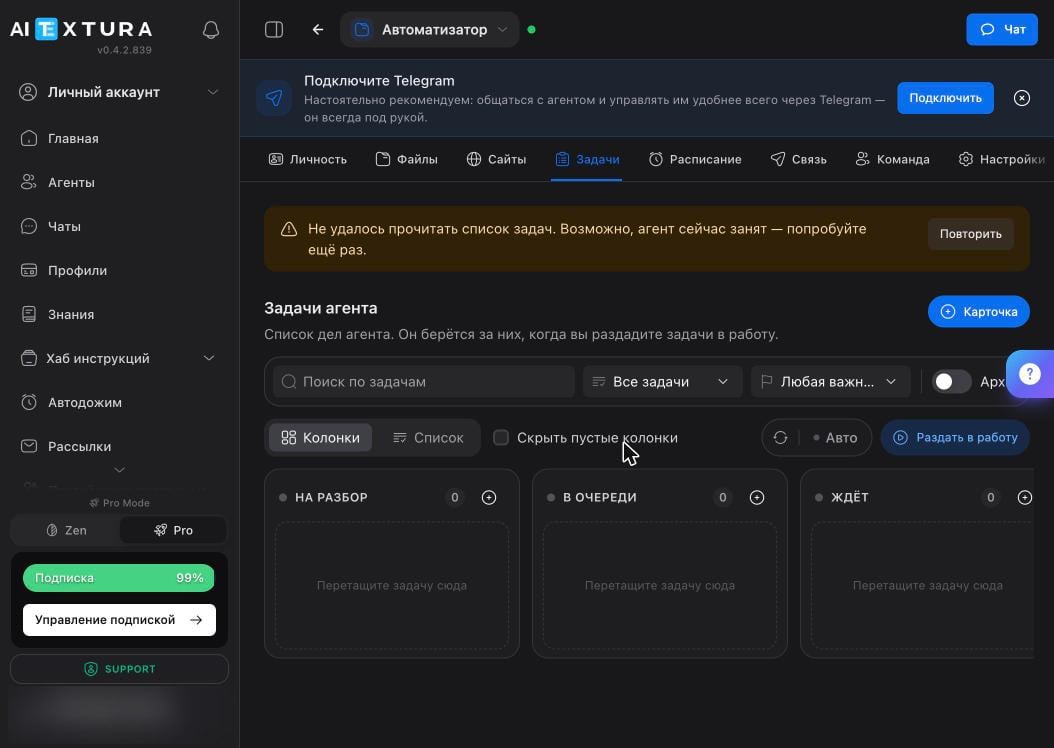 Right after you enable it, the board may show "Couldn't load the task list" — the container is still restarting. Wait 15–20 seconds and click **Retry**.
## Columns
Eight columns, left to right, trace a task's path from idea to result.
Right after you enable it, the board may show "Couldn't load the task list" — the container is still restarting. Wait 15–20 seconds and click **Retry**.
## Columns
Eight columns, left to right, trace a task's path from idea to result.
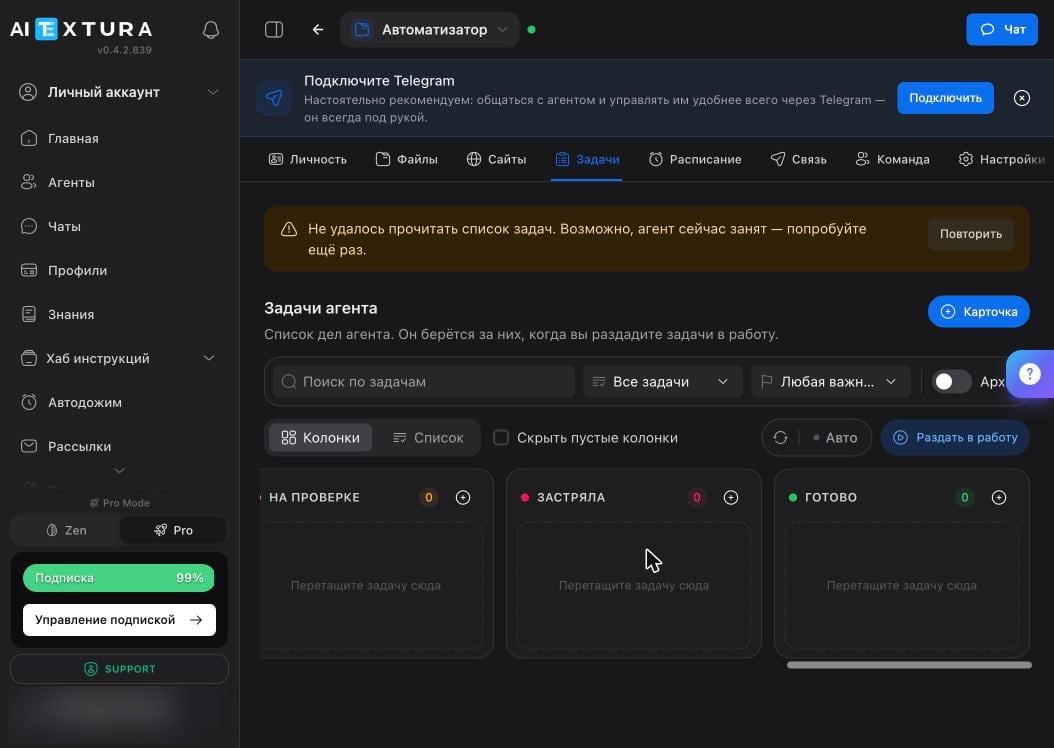 | Column | What's in it |
| --------------- | ---------------------------------------------------- |
| **Triage** | The task is recorded but not yet defined as work |
| **Queued** | Triaged and waiting its turn |
| **Waiting** | Blocked: missing access, data, or your reply |
| **Ready** | Can be picked up |
| **In progress** | The agent is working on it right now |
| **In review** | There's a result, and it needs your eyes |
| **Stuck** | The agent couldn't finish — open the card to see why |
| **Done** | Closed |
The **Dispatch** button in the top right moves queued tasks into work in bulk — this is your "go ahead" command.
The **Columns / List** toggle switches the board view, and the **Hide empty columns** checkbox removes clutter: with only two or three tasks, eight columns just get in the way.
## New task
Click **+ Card** in the top right, or **+** in the header of the column you want.
| Column | What's in it |
| --------------- | ---------------------------------------------------- |
| **Triage** | The task is recorded but not yet defined as work |
| **Queued** | Triaged and waiting its turn |
| **Waiting** | Blocked: missing access, data, or your reply |
| **Ready** | Can be picked up |
| **In progress** | The agent is working on it right now |
| **In review** | There's a result, and it needs your eyes |
| **Stuck** | The agent couldn't finish — open the card to see why |
| **Done** | Closed |
The **Dispatch** button in the top right moves queued tasks into work in bulk — this is your "go ahead" command.
The **Columns / List** toggle switches the board view, and the **Hide empty columns** checkbox removes clutter: with only two or three tasks, eight columns just get in the way.
## New task
Click **+ Card** in the top right, or **+** in the header of the column you want.
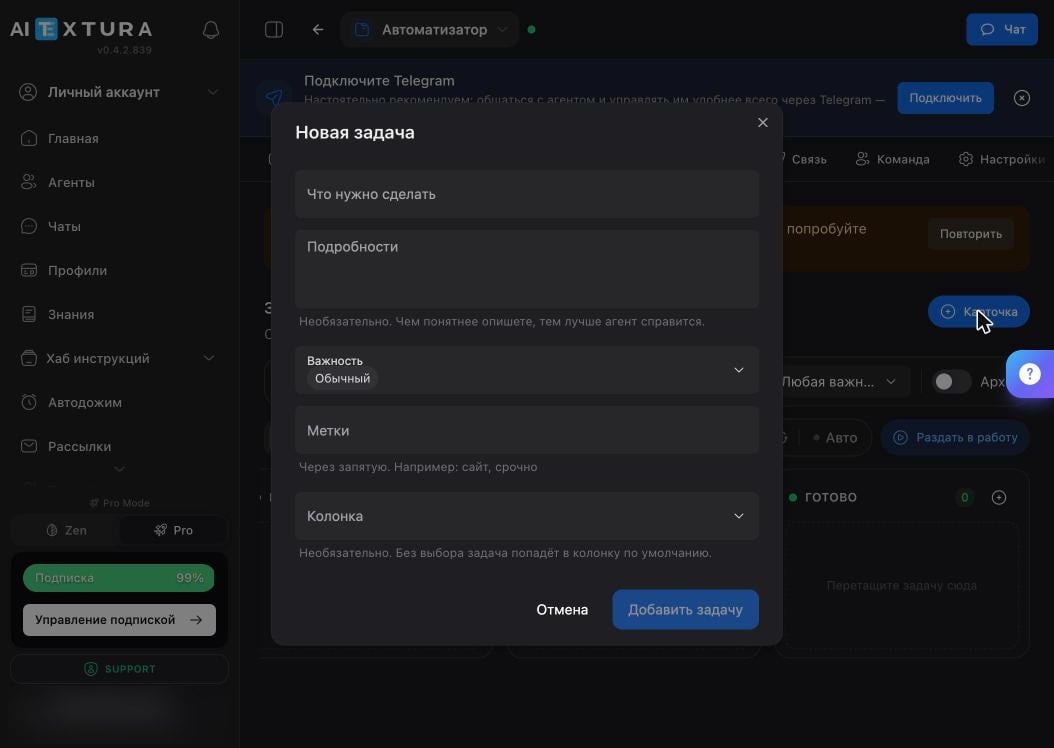 | Field | What to enter |
| ------------------------- | ----------------------------------------------------------------------------- |
| **What needs to be done** | The task title in one line, as in a to-do list |
| **Details** | Optional, but this is where the agent learns what counts as a finished result |
| **Priority** | Defaults to "Normal" |
| **Labels** | Comma-separated: `website, urgent`. You can filter the board by them later |
| **Column** | Where to put the card. If you don't pick one, it goes to the default column |
Phrase the task as an outcome, not a direction: "put July expenses into a spreadsheet by category and send me the file" instead of "sort out the expenses."
## How it works
The board doesn't run the agent by itself — it gives the agent a queue to pull work from.
From the Agent Workspace or right from chat: ask the agent to create a task, and it will make the card itself.
Click **Dispatch** or move the card to **Ready**.
The card moves to **In progress**, and the result goes to **In review**.
If you accept it, close the card. If the agent couldn't finish, the card ends up in **Stuck** with the reason.
## FAQ
Queued tasks don't move into work on their own — click **Dispatch** or drag the card to **Ready**. If nothing happens after that, check the container status: the green dot next to the agent's name.
Open the card in the **Stuck** column: the agent writes down where it stopped. Most often it's missing access, or the description leaves out the key thing — what counts as a finished result.
This happens: the agent may report success after completing only part of the work. Verify the actual result — the file, the email, the row in the spreadsheet. Learn more in [Where the agent breaks](/en/agents/limits).
Wait half a minute and click **Retry**: the task list is unavailable while the container is starting up. If that doesn't help, go to **Settings → Management → Diagnostics**.
The board holds one-off tasks you add by hand. The [Schedule](/en/agents/schedule) holds recurring jobs the agent runs on its own at set times.
## What's next
Jobs the agent runs on its own at set times
Assign tasks and get reports from your phone
Different personas for different kinds of tasks
Why you should verify the actual result
| Field | What to enter |
| ------------------------- | ----------------------------------------------------------------------------- |
| **What needs to be done** | The task title in one line, as in a to-do list |
| **Details** | Optional, but this is where the agent learns what counts as a finished result |
| **Priority** | Defaults to "Normal" |
| **Labels** | Comma-separated: `website, urgent`. You can filter the board by them later |
| **Column** | Where to put the card. If you don't pick one, it goes to the default column |
Phrase the task as an outcome, not a direction: "put July expenses into a spreadsheet by category and send me the file" instead of "sort out the expenses."
## How it works
The board doesn't run the agent by itself — it gives the agent a queue to pull work from.
From the Agent Workspace or right from chat: ask the agent to create a task, and it will make the card itself.
Click **Dispatch** or move the card to **Ready**.
The card moves to **In progress**, and the result goes to **In review**.
If you accept it, close the card. If the agent couldn't finish, the card ends up in **Stuck** with the reason.
## FAQ
Queued tasks don't move into work on their own — click **Dispatch** or drag the card to **Ready**. If nothing happens after that, check the container status: the green dot next to the agent's name.
Open the card in the **Stuck** column: the agent writes down where it stopped. Most often it's missing access, or the description leaves out the key thing — what counts as a finished result.
This happens: the agent may report success after completing only part of the work. Verify the actual result — the file, the email, the row in the spreadsheet. Learn more in [Where the agent breaks](/en/agents/limits).
Wait half a minute and click **Retry**: the task list is unavailable while the container is starting up. If that doesn't help, go to **Settings → Management → Diagnostics**.
The board holds one-off tasks you add by hand. The [Schedule](/en/agents/schedule) holds recurring jobs the agent runs on its own at set times.
## What's next
Jobs the agent runs on its own at set times
Assign tasks and get reports from your phone
Different personas for different kinds of tasks
Why you should verify the actual result