

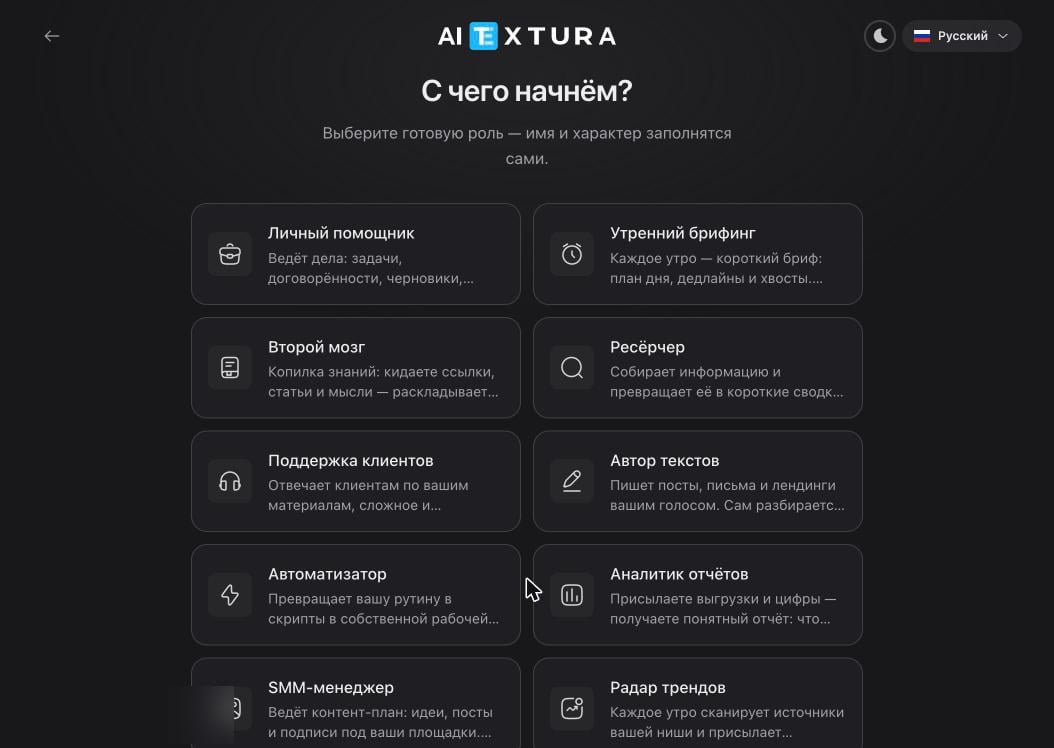
Personal and organization
Content and social media
Customers and sales
The Customer Support role answers you, not your customers directly. For live conversations with customers in channels, you need an AI Employee — it has a Knowledge Base, Self-Learning, and Working Hours.
Data and monitoring
Documents and learning
How to choose
Pick a role by the action, not the job title. Need a regular report — Report Analyst. Need file processing and scripts — Automator. Need one short text every morning — Morning Briefing. A role doesn’t restrict anything: it sets the starting personality text and the first conversation. An agent with the Tutor role won’t refuse to tally your expenses — it’ll just do it in a tutor’s manner, and worse than an agent set up for that.FAQ
Can I change the role of an existing agent?
Can I change the role of an existing agent?
There’s no separate “change role” button — the role becomes text on the Personality tab. Open the Soul document and rewrite it for the new task: that’s how you change the role. While you’re at it, clean up Long-Term Memory if the agent has already picked up facts from its previous work.
Can one agent have two roles?
Can one agent have two roles?
Technically yes, practically it works poorly. Working memory is finite: an agent with two areas of responsibility starts mixing up contexts and ignoring its own rules. It’s better to deploy a second agent (you’re allowed two) or add a persona to the current one.
None of the roles fits
None of the roles fits
Take the closest one by type of action and rewrite the Soul in your own words. That’s faster and more reliable than creating an agent From scratch: a ready-made role already has working habits built in — keeping a log, maintaining a task list, asking questions one at a time.
What’s next
Create an agent
Three wizard steps and deployment in a minute
Personality and Memory
How a role becomes text you can rewrite
What to assign an agent
Five areas with example task wording
Team
Several personas with different personalities inside one agent