

Billing
Balance and charge history
Account Settings
Your account preferences
Support
Contact the AI Textura team
Dashboard
Overall platform analytics
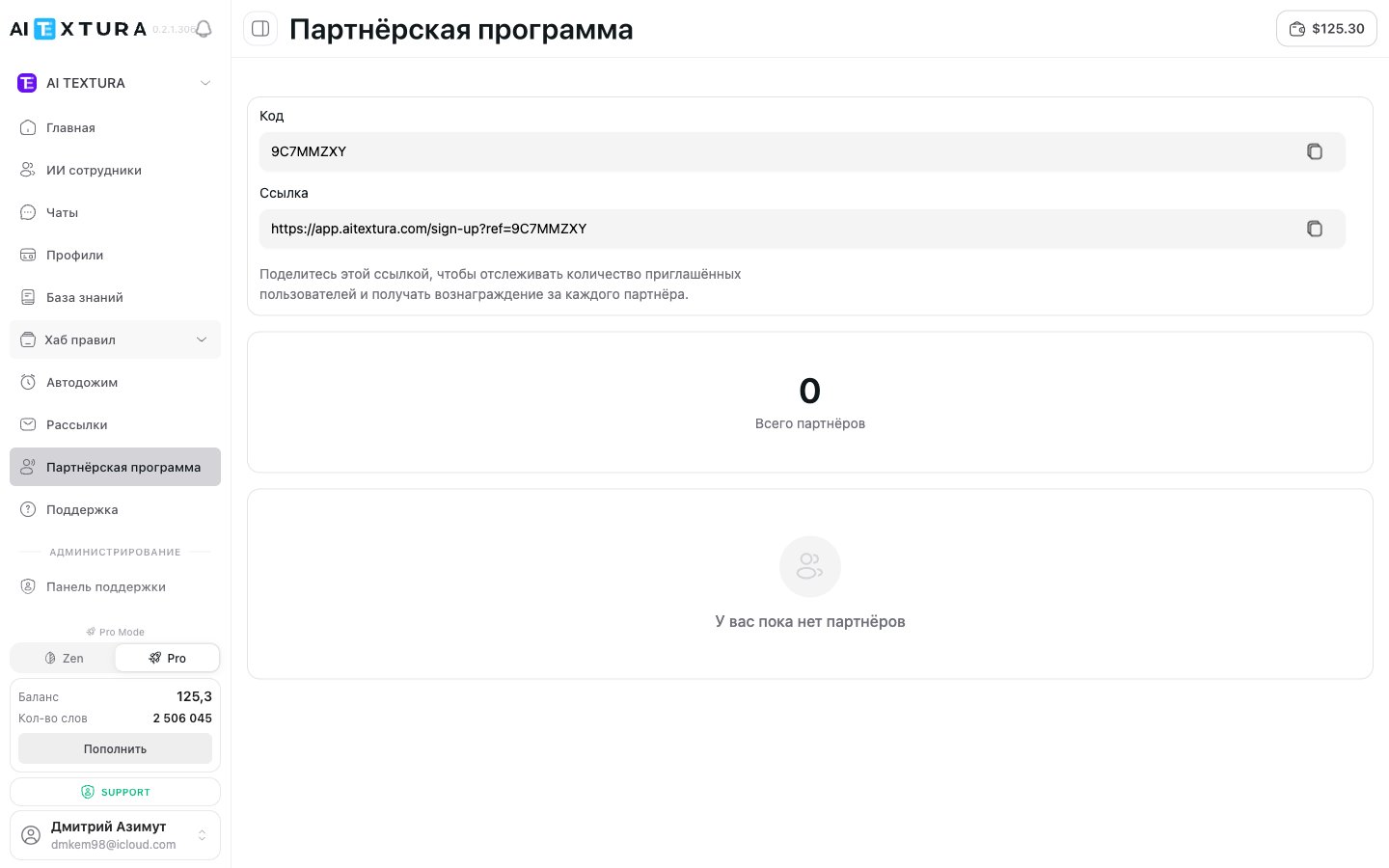
Referral code and link
When an account is created, each user automatically gets a unique referral code and link. They never change.
You can copy both fields in one click on the
/partner-program page (the Partner Program item in the left menu).
How the referral system works
1
Share your link or code
Send the link to a colleague, post it on social media, add it to your email signature — whatever works for you.
2
A new user signs up
They follow your link or enter the code during sign-up and create an AI Textura account.
3
The system records the connection
The platform automatically links the new user to your account as a referral.
4
You receive a reward
You get a bonus for every partner you invite. You can check the terms with the Support team.
Partner counter
The Partner Program page (/partner-program) shows the Total partners block — how many users signed up with your link or code. The counter updates automatically and counts only completed sign-ups.
If a user followed the link but didn’t create an account, they aren’t counted.
Two ways to invite
Option 1: Referral link
Copy the link and send it any way you like. When someone follows it, the referral code is filled in automatically.Option 2: Referral code
Share the code verbally or in a message. The new user enters it manually during sign-up.Where and how to share your link
The Partner Program works best when you reach the right audience. Proven approaches:- Recommend it to colleagues — a personal recommendation beats any advertising.
- Professional chats and groups — Telegram chats about automation, business, and marketing.
- Email signature — unobtrusive and works in the background.
- A review or case study on your blog or social media — share how AI Textura helps your business.
- Training materials — webinars, consultations, courses.
Important details
- The Partner Program is active by default for all users — no extra setup is needed.
- There’s no limit on the number of invitees — invite as many users as you like.
- The program works with no geographic restrictions.
- Your code and link don’t change — they’re tied to your account permanently.
FAQ
Where do I find my referral code and link?
Where do I find my referral code and link?
Open Partner Program in the left menu. The page shows the Code and Link fields — you can copy both.
Can I change my referral code?
Can I change my referral code?
No, the code is generated automatically and tied to your account. It doesn’t change.
What happens if someone follows the link but signs up later?
What happens if someone follows the link but signs up later?
The referral code is passed through the link when it’s followed. If the user closes the page and comes back later without the link, the connection may not be recorded. It’s best to sign up right away.
A user signed up, but the counter didn't change -- what should I do?
A user signed up, but the counter didn't change -- what should I do?
Make sure the user followed your link or entered your code. If everything is correct but the counter hasn’t updated, create a ticket in the Support section.
Do I need to set anything up for the program to work?
Do I need to set anything up for the program to work?
No. The Partner Program is active by default for all users.
How much is paid and when
How much is paid and when
A partner receives 20% of the invited customer’s payments; payouts arrive between the 3rd and 7th of each month. There’s no separate partner dashboard yet — request a payout summary from Support.