

Channels
Which channels to broadcast through
Customer Profiles
Segmentation by customer data
Notifications
Alerts to your team about events
AI Employees
Who to send on behalf of
What broadcasts are
A broadcast sends the same (or a personalized) message to a list of recipients through the channel where they’ve already talked to you. This is not cold outreach — messages go only to customers who have already had a conversation with your AI Employee and have accepted communication through the channel. Typical use cases:- Announcing a promotion or a new service.
- Reminding about an unfinished order or an abandoned cart.
- Re-engaging customers who haven’t written in a long time.
- Collecting feedback after a purchase.
- Announcing changes in how your company works (hours, new services).
Where to find it
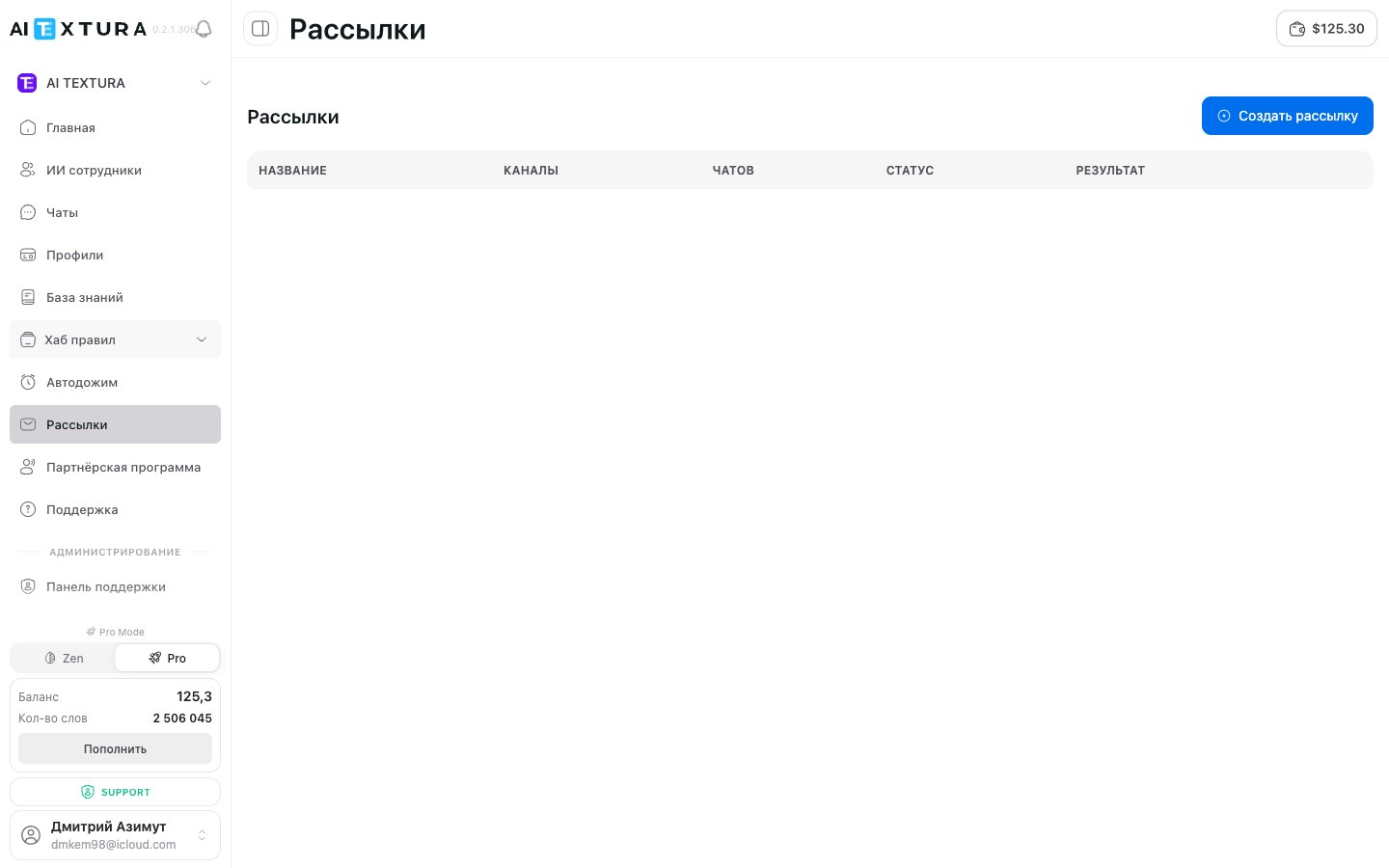
In the platform sidebar, select Broadcasts (URL/broadcast). The section is available in any context — your personal account and an organization.
How to create a broadcast
1
Open the Broadcasts section
In the sidebar, click Broadcasts (
/broadcast).2
Create a new broadcast
Click the button to create a new broadcast in the top-right corner of the page.
3
Choose a channel and segment
Specify which connected channel to send the message through and who exactly should get it — a customer segment or a specific list of recipients.
4
Write the message
Enter the broadcast text. Use personalization where possible — addressing the customer by name, linking to a specific product.
5
Send or schedule
You can send it right away or schedule it for a specific time.
A detailed description of the broadcast creation fields will be added after the next round of the platform audit. If you have questions about a specific field, contact Support.
How it relates to other sections
- Channels. A broadcast goes through a channel already connected to one of your AI Employees. See Channels.
- Customer Profiles. Segmenting by Profiles lets you write only to the group you need — for example, only those who made a purchase in the last 30 days.
- Notifications. Don’t confuse them: Notifications are alerts to your team about events in chats. Broadcasts are messages to your customers.
- Billing. Each broadcast message uses words, just like a regular conversation. Keep an eye on your balance — see Billing.
Best practices
1
Segment your recipients
The narrower the segment, the higher the response. Don’t send the same message to everyone at once; split your audience by interest, how recent the conversation was, and customer status.
2
Use personalization
Insert the name, region, or last order. Impersonal “Hello, we have a promotion” messages perform worst.
3
Test on a small group
Before a mass send, do a trial run on 10–20 customers and evaluate the response.
4
Don't send too often
A broadcast once a week is normal. Every day is a path to unsubscribes and blocks.
FAQ
Who receives a broadcast?
Who receives a broadcast?
Only customers with an active conversation in the selected channel — that is, those who have already written to your AI Employee. Cold outreach to strangers isn’t supported.
Can I cancel a broadcast that's already running?
Can I cancel a broadcast that's already running?
If a broadcast is scheduled for the future, you can cancel or edit it before it starts. Once sending has begun, you can’t fully undo it, but you can stop further sending.
How much does a broadcast cost?
How much does a broadcast cost?
Each message sent uses words from your plan — just like a regular agent reply in a chat. See Billing.
Which channels can I broadcast through?
Which channels can I broadcast through?
Any channel connected to your AI Employee. Technical limits depend on the specific platform — for example, in Telegram you can’t message first someone who hasn’t started a conversation themselves.
Can I send a broadcast on behalf of an organization instead of my personal account?
Can I send a broadcast on behalf of an organization instead of my personal account?
Yes — switch the context to the organization, and that organization’s channels and agents become available.
Where can I see broadcast statistics?
Where can I see broadcast statistics?
On the broadcast’s own page — sent / read / replied. Customer replies land in the regular chat of the corresponding AI Employee.