Manage the theme, language, AI commands, personal details, security, integrations, and experimental features in AI Textura.
Account Settings is your personal control panel for the platform. It brings together everything related to appearance, security, integrations, notifications, global commands for AI Employees, and experimental features.
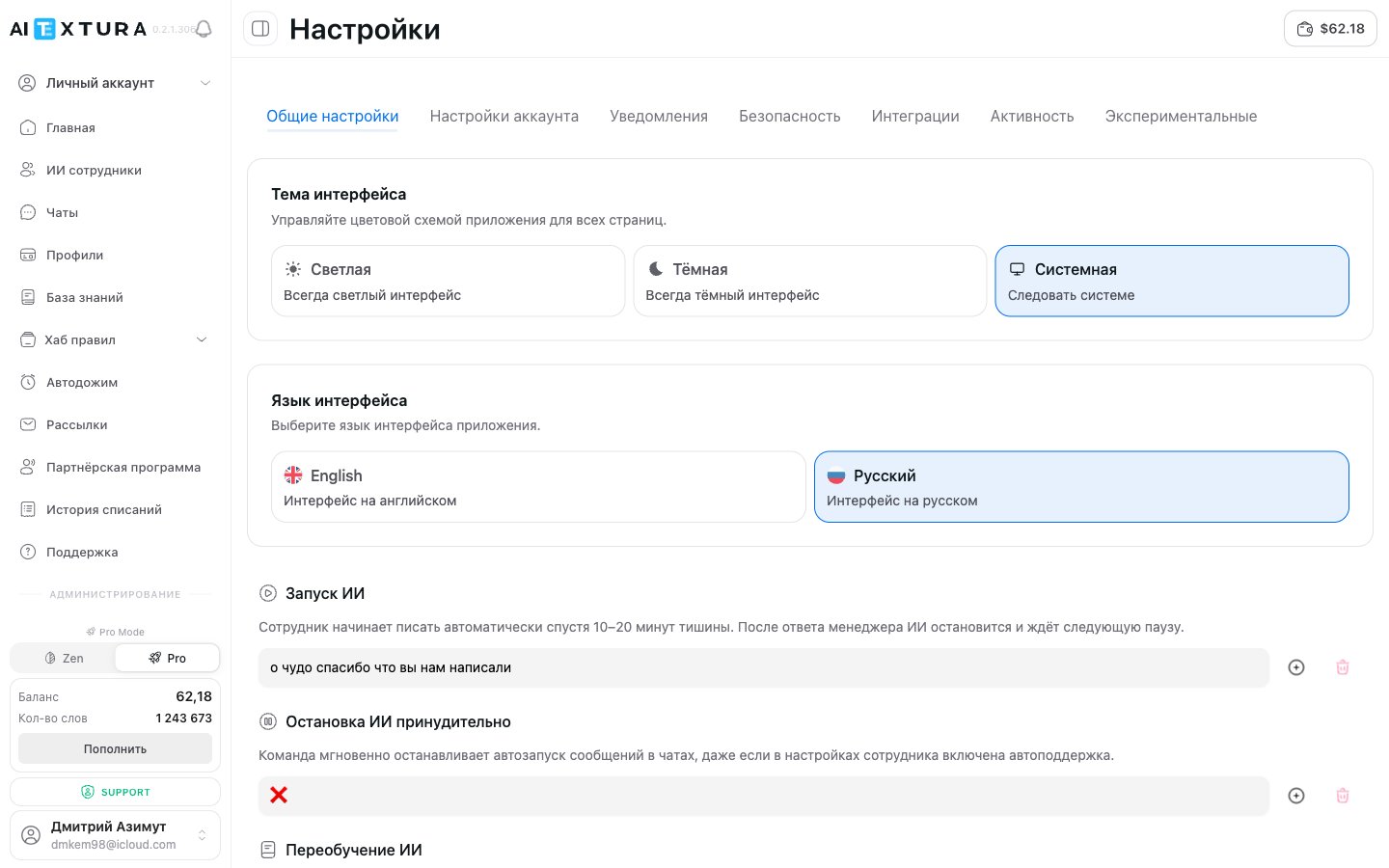
Choose the language the platform interface is displayed in.
Option
Description
English
Interface in English
Русский
Interface in Russian
The interface language doesn’t affect the language AI Employees use with customers. An AI Employee replies in the language set in its Persona or adapts to the customer’s language.
Global text commands you can send right into a chat with an AI Employee. Each command is a word, phrase, or set of emoji that triggers a specific action. You can change the command text to anything you like.
Command
What it does
Default
Start AI
The AI Employee starts writing automatically after 10-20 minutes of silence. After a manager replies, the AI stops and waits for the next pause
😇
Stop AI
Instantly stops automatic messages, even if auto-support is on in the AI Employee’s settings
❌
Retrain AI
The AI Employee rereads its instructions and knowledge, including connected documents. You can send it from any chat
📚📕📙📗📓📖
Protection control
Turns corporate protection on and off in all chats at once
🔒🔒🔒🔒🔒🔒
Erase memory
Completely clears the active conversation’s history. Use it to test knowledge from a clean slate
delete all
Full report
Generates a full conversation report with all messages, including archived ones. The same report is available in the chat actions menu
set by you
Report without archive
A shorter report — only active messages, without deleted or archived ones
set by you
The Erase memory command completely removes the conversation from the AI Employee’s context. This can’t be undone.
To change a command, enter new text in the field next to its description and click Save commands. The Reset button restores all commands to their defaults.
The Full report and Report without archive commands are handy when contacting Support: send the command in the chat and get the generated report right in the messenger, without opening the platform.
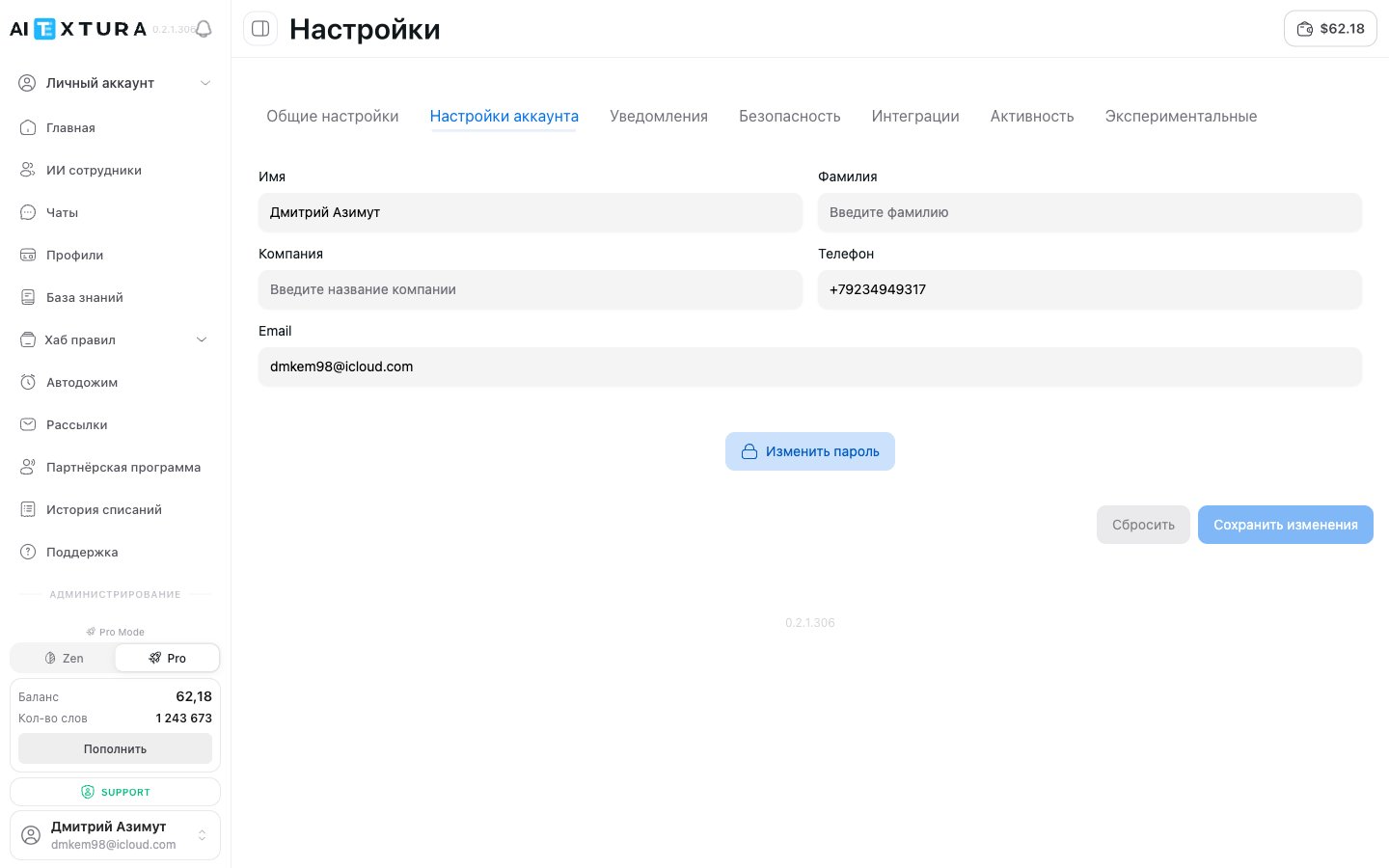
This is where your personal details are stored. The information is used to identify you in the system and is shown in the interface — for example, in the sidebar and in support tickets.
The same tab has a Change password button. Clicking it opens a form: enter your current password and your new password twice, then confirm.
Use a strong password at least 8 characters long, with upper- and lowercase letters and digits. Even if you sign in with a linked account (Apple, Google, etc.), setting a password for extra security is still worthwhile.
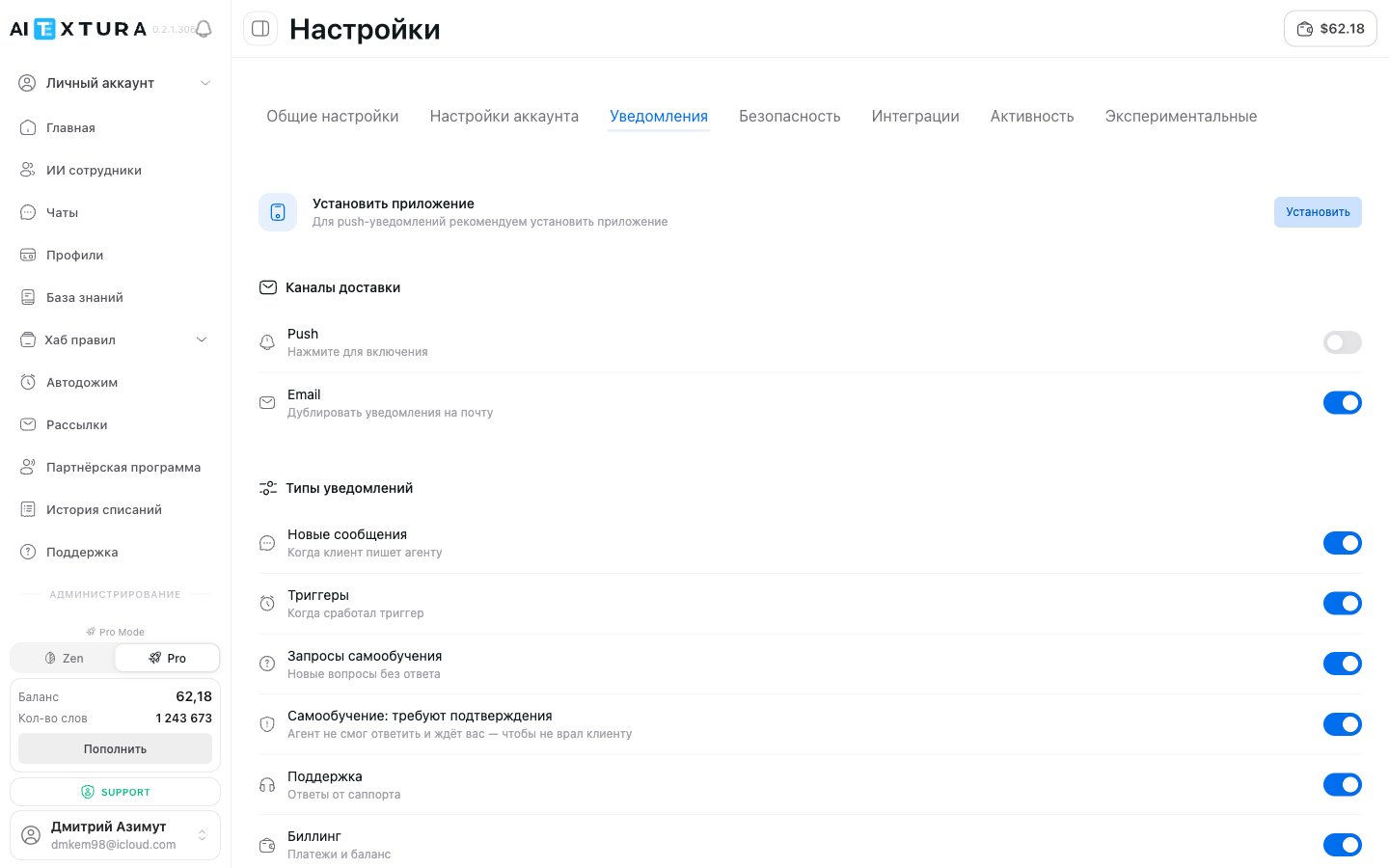
General platform notification settings — manage delivery channels and alert categories at the account level.
These settings apply to platform notifications (news, updates, account events). Escalation trigger settings for specific AI Employees are a separate section: Notifications on the agent tab.
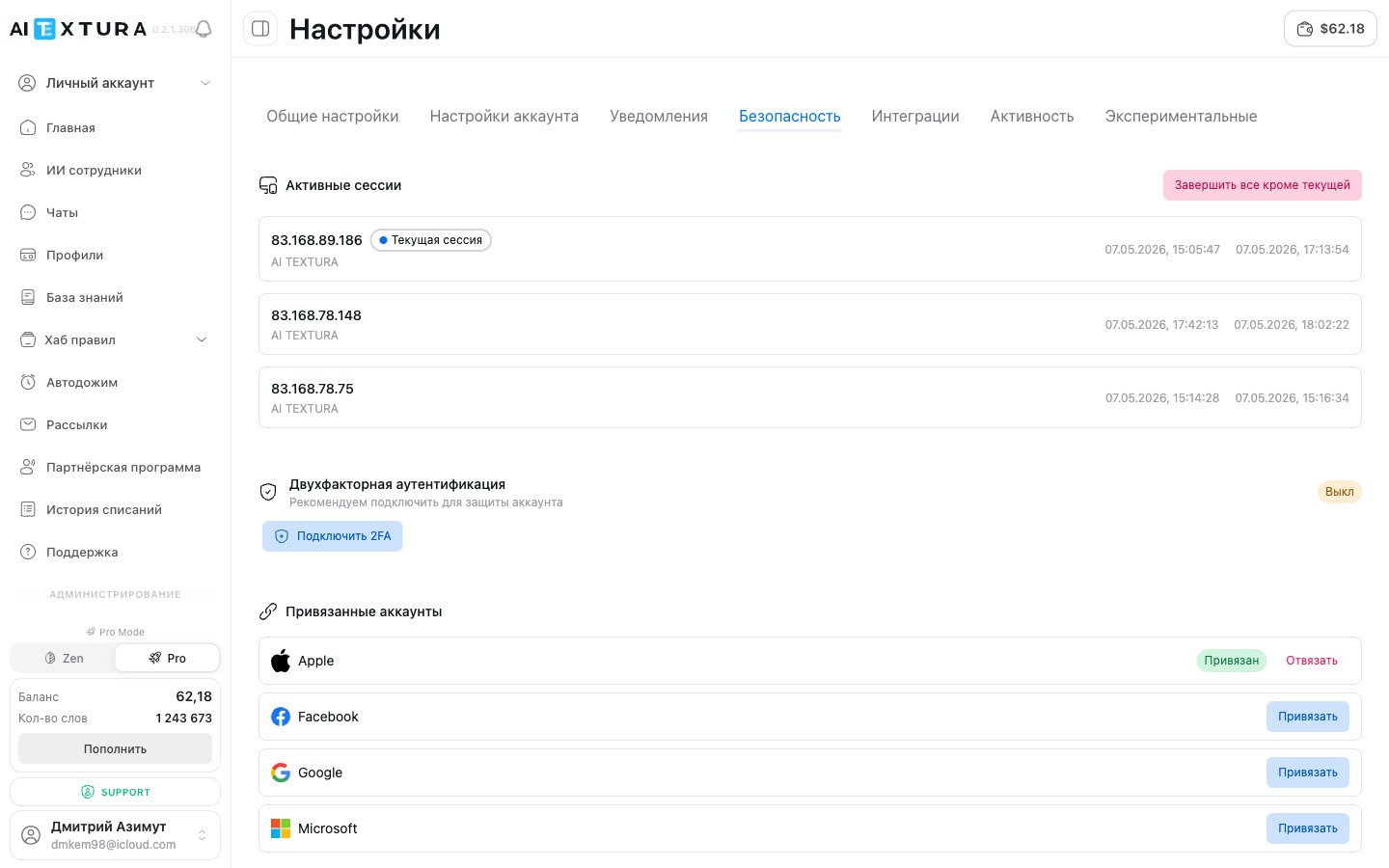
An extra layer of protection. When you sign in, the system asks for a one-time code from an authenticator app (Google Authenticator, Authy, etc.).
1
Click Enable 2FA
The button is in the two-factor authentication block.
2
Scan the QR code
Open the authenticator app on your phone and scan the QR code on the screen.
3
Enter the confirmation code
Enter the one-time code from the app to finish setup.
We strongly recommend enabling 2FA, especially if you’re on a paid plan and have funds on your balance. It protects your account even if your password leaks.
Link external accounts for quick sign-in without a password. Four services are supported:
Service
Action
Apple
Link / Unlink
Facebook
Link / Unlink
Google
Link / Unlink
Microsoft
Link / Unlink
If an account is linked, you’ll see the Linked status and an Unlink button next to it. If not, there’s a Link button that takes you to the service’s sign-in page.
Linking an external account is convenient for quick sign-in but doesn’t replace a password. We recommend having both a password and a linked account — that way you won’t lose access if something happens to one of your sign-in methods.
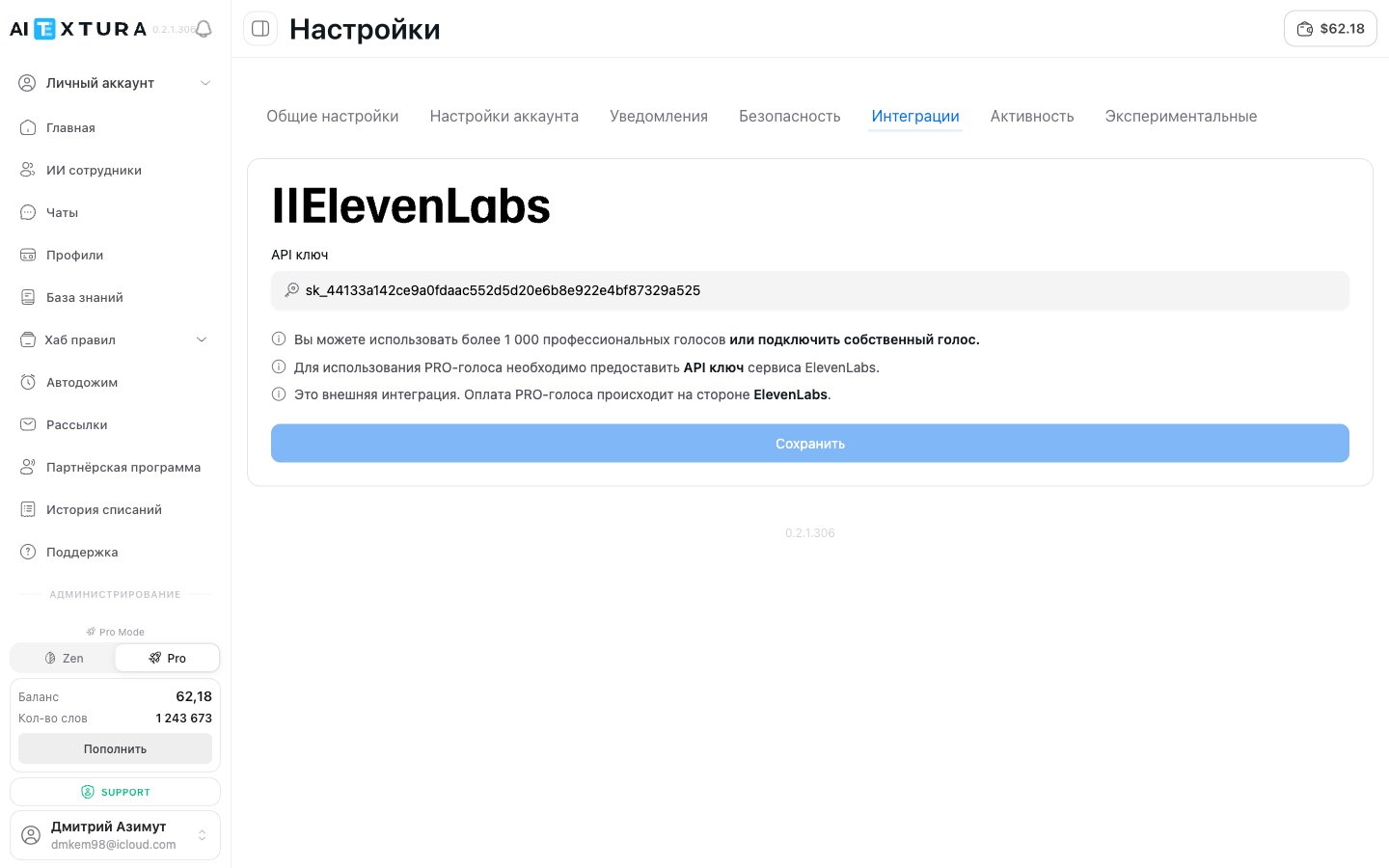
AI Textura supports PRO voices through an integration with ElevenLabs — over 1,000 professional voices, plus the option to connect your own voice.
1
Get an API key
Sign up at ElevenLabs and get an API key in your account dashboard.
2
Open the Integrations tab
Go to Settings → Integrations.
3
Paste the key and save
Paste the key into the API key field and click Save.
After that, PRO voices become available in the settings of voice-enabled AI Employees.
This is an external integration. PRO voices are paid for on the ElevenLabs side — the cost depends on your plan with their service. AI Textura doesn’t charge anything extra for using PRO voices.
If you don’t use voice-enabled AI Employees or you’re happy with the built-in voices, you can skip this tab. The built-in voices (the Standard category) are available without a key and at no extra cost.
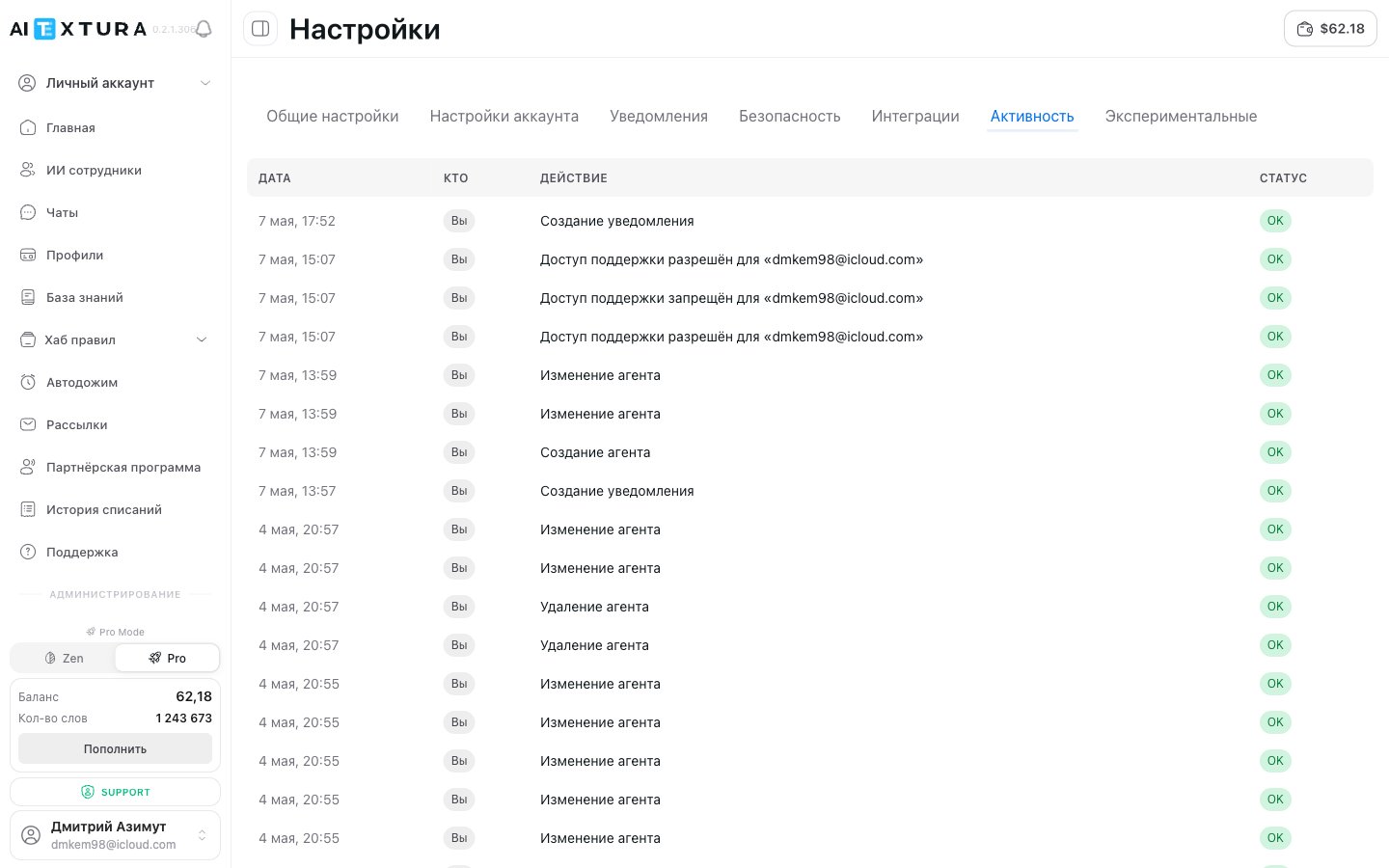
A log of actions in your account: sign-ins, settings changes, security events, adding and removing AI Employees, and connecting channels and talents.
Field
What it shows
Date and time
When the event happened
Action
What was done (account sign-in, settings change, AI Employee added, etc.)
IP address
The address the action came from
Platform
Browser or app
Check the log if you suspect unauthorized access — it shows every sign-in. If you see unfamiliar events, change your password on the Account Settings tab and turn on 2FA on the Security tab.
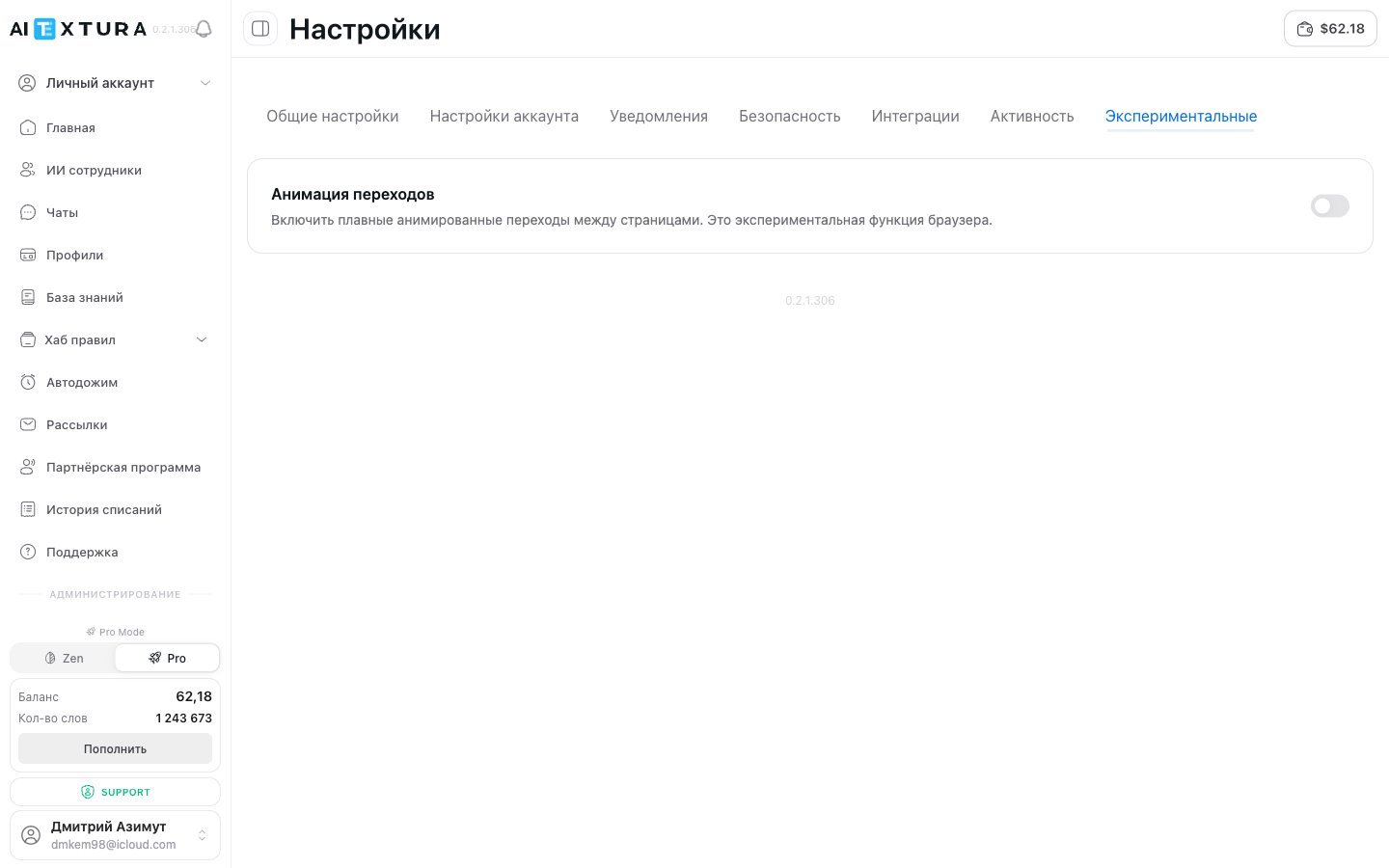
Turns on smooth animated transitions between platform pages. It’s an experimental browser feature — it makes navigation look smoother but may occasionally cause lag on low-end devices.
Parameter
Description
Toggle
On / Off — turns the animation on or off
The animation is off by default. Turn it on if you want to try it — you can turn it off at any time.
The Experimental section will get new features over time. Check back after platform updates.
Click your name and email at the bottom of the sidebar. In the menu that opens, select Settings.
I changed my email but can't sign in with the new address
After changing your email, make sure you saved the changes with the Save changes button. If the problem persists, contact support through the Support section in the left menu.
Can I use the platform without a password -- only through Apple/Google?
Yes. If you signed up through an external service, you can sign in only through it. But for extra security, we recommend setting a password on the Account Settings tab.
What should I do if I see an unfamiliar session?
Immediately change your password on the Account Settings tab → Change password. Then turn on two-factor authentication. If you suspect unauthorized access, contact support.
Why do I need an ElevenLabs API key?
Only for PRO voices. If you don’t use voice-enabled AI Employees or you’re happy with the built-in voices, you don’t need the key.
Do AI control commands work in all chats?
Yes. Commands set on the General settings tab apply globally — in all chats with all AI Employees in your account.
What happens if I send the retrain command?
The AI Employee rereads all its instructions, Knowledge Base, and connected documents. This is useful if you’ve updated data and want the AI Employee to start using it right away.
Are experimental features paid?
No. All features in the Experimental section are free. They’re beta features the AI Textura team is testing before a full launch.
The password reset email doesn't arrive
The email is sent from [email protected] — check your Spam folder and make sure you’re looking in the inbox your account is registered to. You start a reset with the Forgot password? link on the sign-in page.
The confirmation code for an email change takes a long time
The email with the code is sometimes delayed by up to 20 minutes, and the code can expire in that time. Wait, check Spam, and if the code no longer works, request a new one in your profile settings.
The sign-in page doesn't load or gets stuck on the captcha
Open it in Chrome, turn off your VPN, and refresh the page; if that doesn’t help, try incognito mode or clear your cache and cookies. Still not working? Write to Support and include your browser, the country you’re connecting from, and what you see on the screen.
I can't sign in -- I've tried different emails
An account is tied to one address; you can’t sign in with another. Check which inbox you need with your AI TEXTURA manager; you can change the linked address through Support.
What happens to customers' personal data, and what about Federal Law 152-FZ?
The platform doesn’t store customer data: it passes through in transit and is anonymized. You remain the personal data operator, so the processing policy, secure channels, and reporting are on your side. If your policy requires keeping data inside Russia, discuss a local model, Russian communication channels, or running on local servers with your manager.
I need a separate NDA
Confidentiality provisions are already in the offer agreement. If you need a separate document, your manager will prepare one on request.