WhatsApp, VK, Instagram, Avito, and Other Messengers
Connect popular messengers and marketplaces (WhatsApp, VK, Instagram, Avito, Viber, Facebook) to your AI Employee through aggregator platforms: Wazzup, Umnico, Kommo, Salebot, SendAPI, Jivo, HelpDeskEddy.
Channels overview
What a channel is and how it works in AI Textura
Telegram
Direct Telegram bot connection
amoCRM and Kommo
CRMs with built-in messengers
Bitrix24
Bitrix24 Open Channels
To have your AI Employee reply to customers in WhatsApp, VK, Instagram, Avito, and other channels, use an aggregator platform. An aggregator combines several messengers in one window and provides a single API key for connecting to AI Textura.
In AI Textura, WhatsApp connects only through aggregators, and Wazzup is the most stable option. The platform has no direct WhatsApp channel.
Wazzup specializes in connecting WhatsApp (personal number and Business API). It also supports Instagram, Avito, and Telegram. Setup is simple and the connection is stable.Supported channels: WhatsApp (personal and Business API), Instagram, Avito, Telegram.
Umnico: a universal messenger aggregator
Umnico combines WhatsApp, Telegram, Instagram, VK, Viber, Facebook, Avito, and other channels in one window. It suits companies that need to connect several messengers at once without a CRM.Supported channels: WhatsApp, Telegram, Instagram, VK, Viber, Facebook, Avito, and more.
Kommo: a CRM with built-in messengers
Kommo (the international version of amoCRM) is a CRM system with native messenger integration. If you already use Kommo for sales, connecting channels is as easy as it gets.Supported channels: WhatsApp, Telegram, Instagram, VK.
Salebot: automation and bot builder
Salebot is an automation platform with a visual bot builder. It lets you build conversation flows and connect messengers to AI Textura.Supported channels: WhatsApp, Telegram, VK, Viber.
SendAPI: a universal API for custom integrations
SendAPI provides a universal HTTP interface (webhooks) for connecting any channel. It’s a good fit if you need a non-standard integration or a channel other aggregators don’t offer.Supported channels: any channel via HTTP webhooks.
Jivo: live chat and omnichannel
Jivo offers a live chat widget for websites plus a messenger aggregator. It’s convenient if you already run Jivo as live chat on your site: your AI Employee joins the same account.Supported channels: WhatsApp, VK, Instagram, Telegram, email, website widget.
HelpDeskEddy: a helpdesk with messengers
HelpDeskEddy is a ticket system with messenger support. It suits companies that handle support through tickets and want to add an AI Employee as the first line.Supported channels: WhatsApp, Instagram, Telegram, email, tickets.
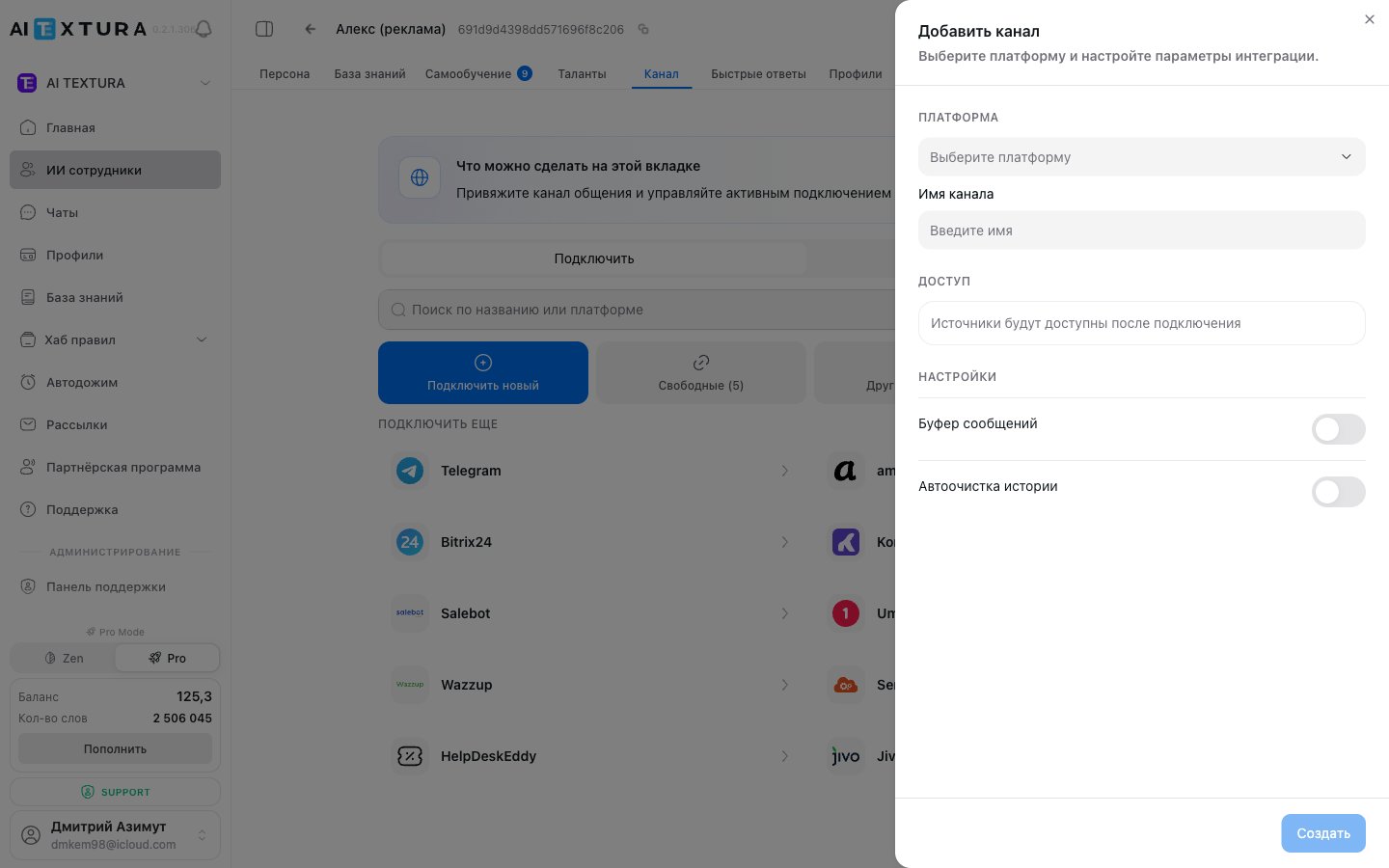
Go to AI Employees → select an AI Employee → Channel tab → Connect New subtab.
2
Choose a platform
Find the one you need in the platform list (for example, Wazzup or Umnico) and click it.
3
Create a connection
In the side panel, select the Create tab.
4
Fill in the settings
Channel Name: any name that works for you (for example, “WhatsApp via Wazzup”).
API Key: paste the key you copied from the aggregator.
5
Connect
Click Connect. The channel appears on the Connected tab and starts receiving messages.
6
Choose a source (if applicable)
For Wazzup and some other aggregators, after connecting you need to choose a specific source channel (for example, the right WhatsApp number) from those available in the aggregator.
You can connect several messengers through one aggregator with a single API key.
Yes. You can connect different channels through different aggregators to one AI Employee.
Can I connect WhatsApp directly, without an aggregator?
No. AI Textura has no direct WhatsApp channel. Use Wazzup, Umnico, Kommo, SendAPI, Jivo, or HelpDeskEddy; each of them supports WhatsApp.
What happens if the aggregator goes down?
Your AI Employee can’t receive or send messages through that channel until the aggregator is back up. Messages customers send during that time will be processed after recovery (depending on the aggregator).
Do I need a separate aggregator subscription?
Yes. Each aggregator is a separate service with its own pricing. Your AI Textura subscription doesn’t include the aggregator’s cost.
Can I use Avito without an aggregator?
AI Textura currently has no direct Avito channel. Avito connects through aggregators that support it (Wazzup, Umnico, SendAPI).
Will regular WhatsApp work, or do I need WhatsApp Business?
You need the official WhatsApp Business API, via 360dialog or an aggregator. A regular account isn’t designed for auto-replies: WhatsApp treats this traffic as bulk messaging and restricts the number.
How to avoid losing your WhatsApp number
Three rules: connect only through the official Business API; reply to incoming messages and don’t message unknown contacts first; don’t reply instantly (the message buffer in the channel settings sets the delay).
Does the phone have to stay on all the time?
Only while connecting, for authorization. After that, messages travel between servers, and the phone is only needed to keep the session active.
Instagram: the AI Employee duplicates replies or goes silent on the first message
Instagram’s built-in auto-replies are to blame: they intercept the first message. Open Business tools → Automated responses, turn off welcome messages, then reconnect the channel.
Can the AI Employee reply to Instagram comments?
Yes, but the aggregator splits comments and direct messages into separate channels, and each channel gets its own AI Employee, since the tone in DMs and under posts differs.
I connected VK, but messages don't arrive
Check whether the aggregator channel appears on the AI Employee’s Connected tab. If it doesn’t, the group isn’t authorized on the aggregator’s side: go back to that step and send a test message again.
How to add chat to your website
The widget comes from the aggregator or CRM: take the ready-made JS code from your Umnico or amoCRM account or from Bitrix24 Open Channels, and paste it before the closing </body> tag on every page of your site. You connect to AI TEXTURA the channel the widget runs through.
Messages from the aggregator stopped arriving
The first fix is to reconnect: turn off the channel toggle in the AI Employee’s settings, wait 10 seconds, turn it back on, then send a test message. If it’s still silent, contact Support with the aggregator’s name and the time of the last message that came through.
Two numbers: can I assign them to two AI Employees?
Yes. Each number connects as its own channel, and each channel is linked to one AI Employee.
Should I connect the AI Employee to email?
Look at the incoming traffic: if the inbox is mostly automated notifications and newsletters, the AI Employee will be replying to them for nothing. Connect email when it receives real customer inquiries.