

Quick Answers
Pre-configured reactions to common questions with higher priority than FAQ
Knowledge Base
Central repository of information the AI employee uses to answer questions
Persona
Configure personality, tone, and behavioral instructions for your AI employee
AI Employees
Create and manage your AI employees
How It Works
Agent analyzes dialogs
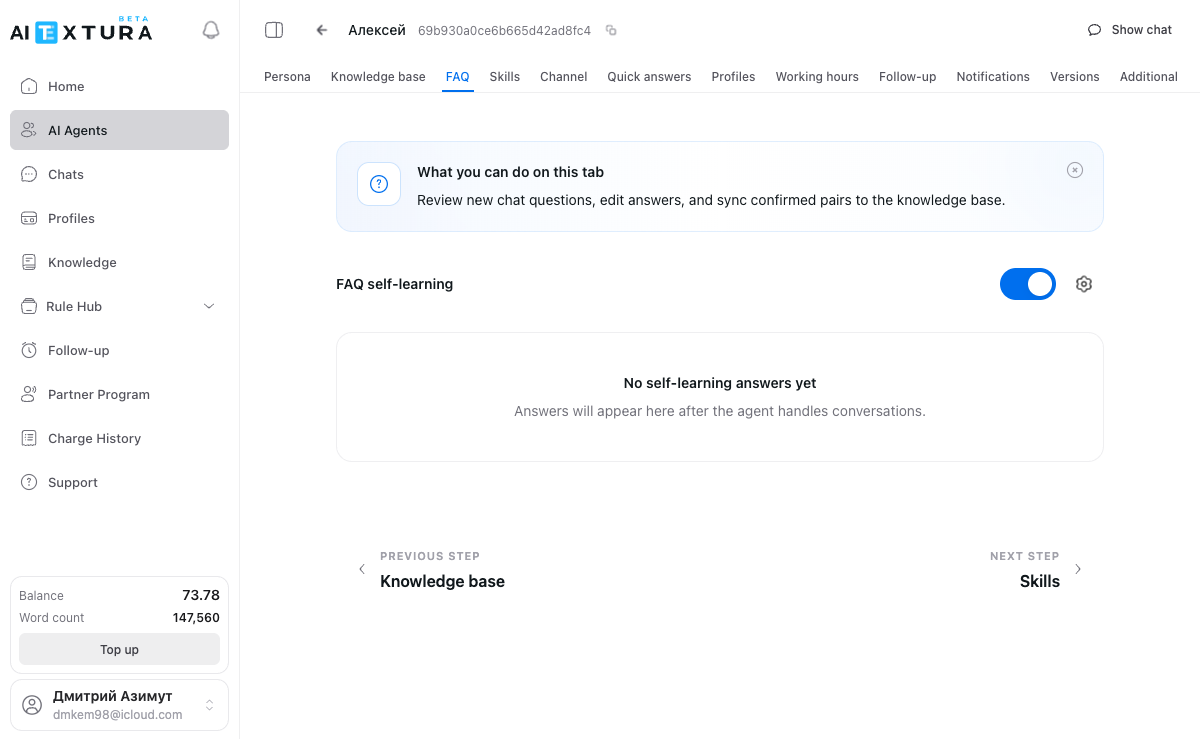
With self-learning enabled, the AI employee automatically processes real customer conversations and extracts question-answer pairs from them.
Records appear in FAQ
Extracted pairs are added to the FAQ list with the status New. You review them, edit if necessary, and confirm.
Record Statuses
FAQ records go through three statuses:| Status | Description |
|---|---|
| New | Record was automatically added from a dialog and has not been reviewed yet |
| Confirmed | You have reviewed and approved the record |
| In Knowledge | Record has been pushed to the agent’s knowledge base and is actively used |
| Column | Description |
|---|---|
| Question | Customer question extracted from the dialog |
| Answer | Agent’s response |
| Status | New, Confirmed, or In Knowledge |
How to Enable Self-Learning
Processing Records
Review new records
Go to the New sub-tab — this is where records automatically added by the agent are listed.
Strict Mode
Strict mode determines how the agent behaves when it cannot find an answer in the FAQ database. To open the settings, click the gear icon next to the self-learning toggle.| Option | Behavior |
|---|---|
| Allow the agent to respond | The agent will answer in its own words using the Persona and Knowledge Base |
| Do not respond | The agent will remain silent |
| Send a preset phrase | The agent will send a phrase that you specify in the text field (up to 450 characters) |
Let me check with my colleagues
FAQ and Quick Answers
Quick Answers have higher priority than FAQ. If both a Quick Answer and an FAQ record exist for the same question, the Quick Answer will be used. FAQ is designed for automatic population from dialogs. For manually adding prepared responses, use the Quick Answers section instead.
Usage Examples
- Hotel — within a week, the agent accumulated 50 question-answer pairs about check-in, Wi-Fi, and parking. It now responds to them instantly and accurately.
- Law firm — enabled strict mode with a preset phrase: “To answer your question, I need to verify information with a lawyer.” This eliminates the risk of incorrect recommendations.
- Online school — reviews records once a week, corrects inaccuracies, and pushes them to the knowledge base. Response quality improves every week.
Frequently Asked Questions
How quickly does the agent start accumulating answers?
How quickly does the agent start accumulating answers?
The first records appear after processing several dialogs. Usually within the first few days of working with real customers.
Can I edit the agent's answers?
Can I edit the agent's answers?
Yes. All records can be viewed and edited directly in the FAQ list.
What happens if I turn off self-learning?
What happens if I turn off self-learning?
The agent will stop adding new records, but the already accumulated answers will remain and continue to be used.
Can I add questions manually?
Can I add questions manually?
FAQ is designed for automatic population from dialogs. For manually adding prepared responses, the Quick Answers section is a better fit.
How does FAQ work together with Quick Answers?
How does FAQ work together with Quick Answers?
They complement each other. Quick Answers have higher priority — if both a Quick Answer and an FAQ record exist for the same question, the Quick Answer will take effect.